 USD
USD Euro
Euro British Pound
 Australian Dollar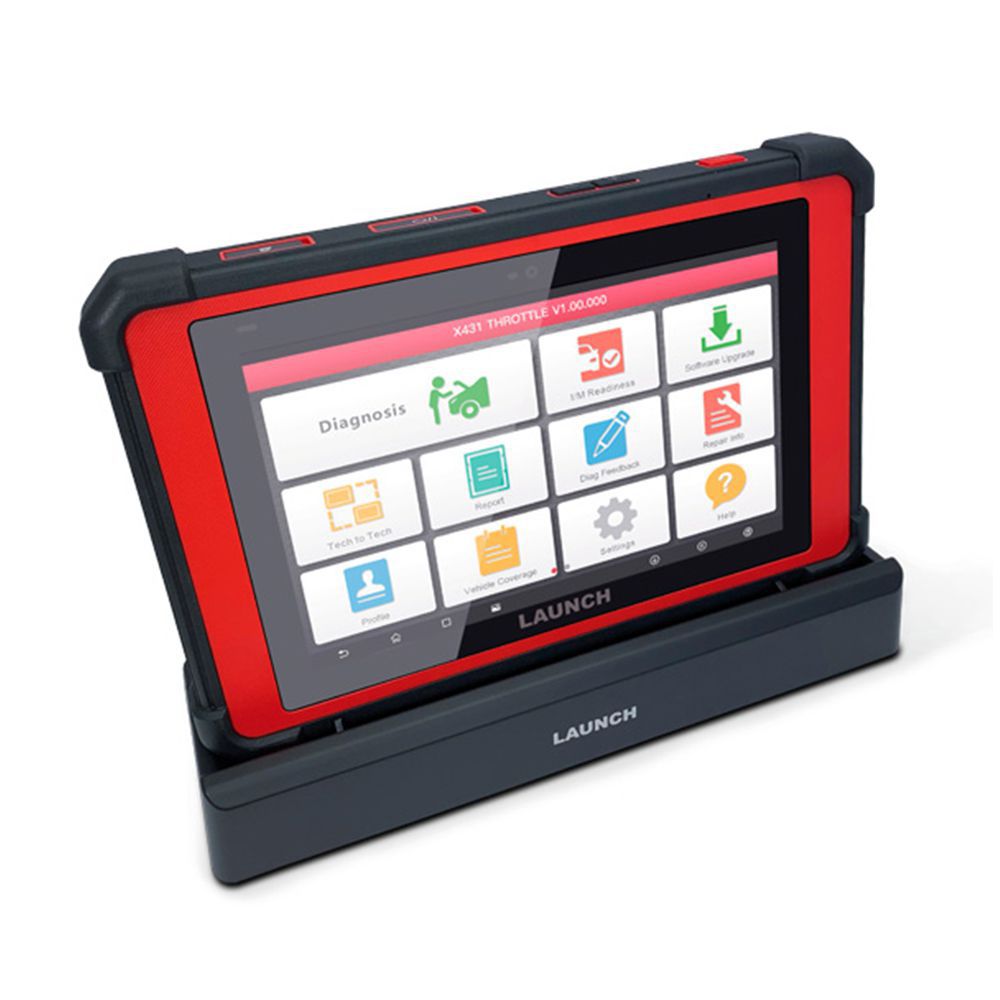
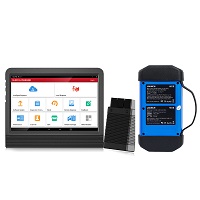
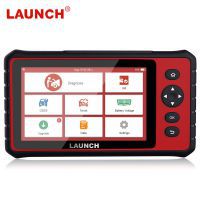
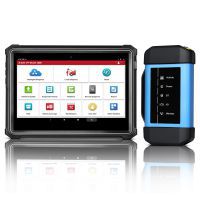
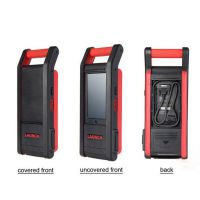
Original Launch X431 PAD V 5 with SmartBox 3.0 Automotive Diagnostic Tool Support Online Coding and Programming 3 Years Free Update Online
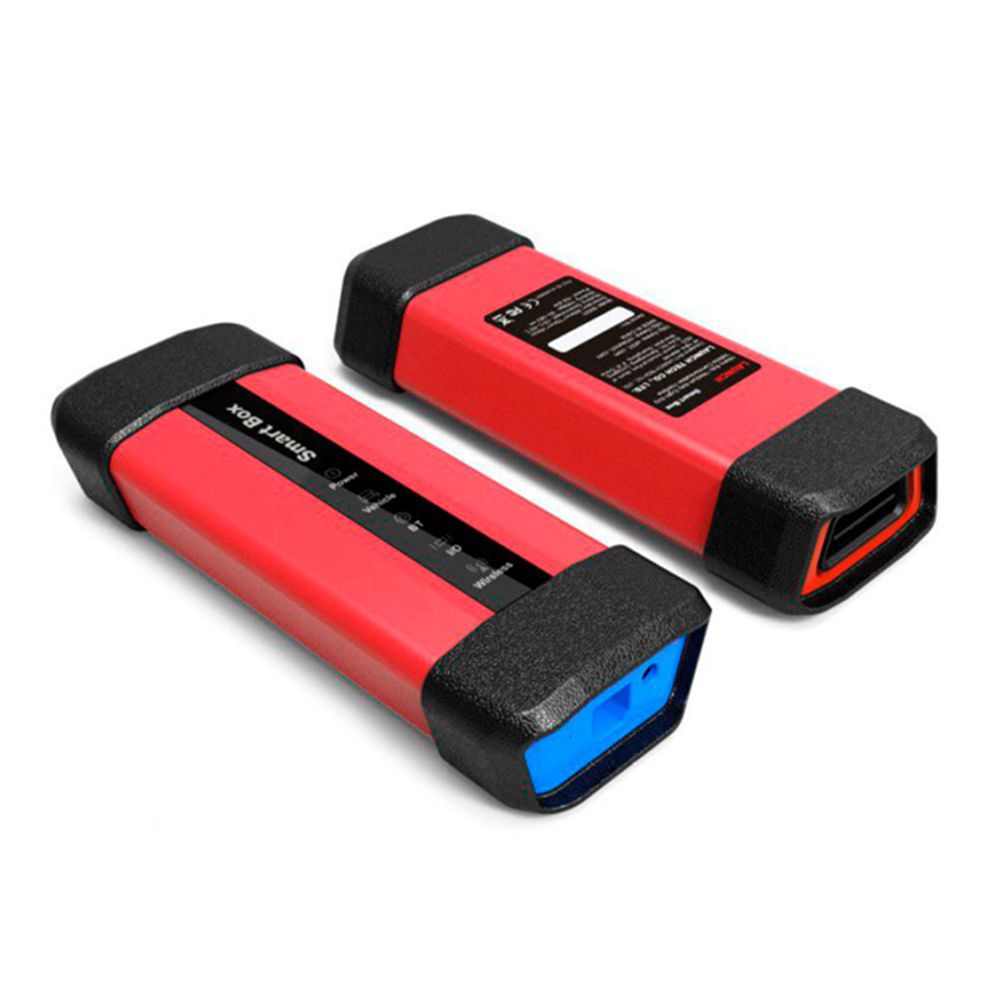
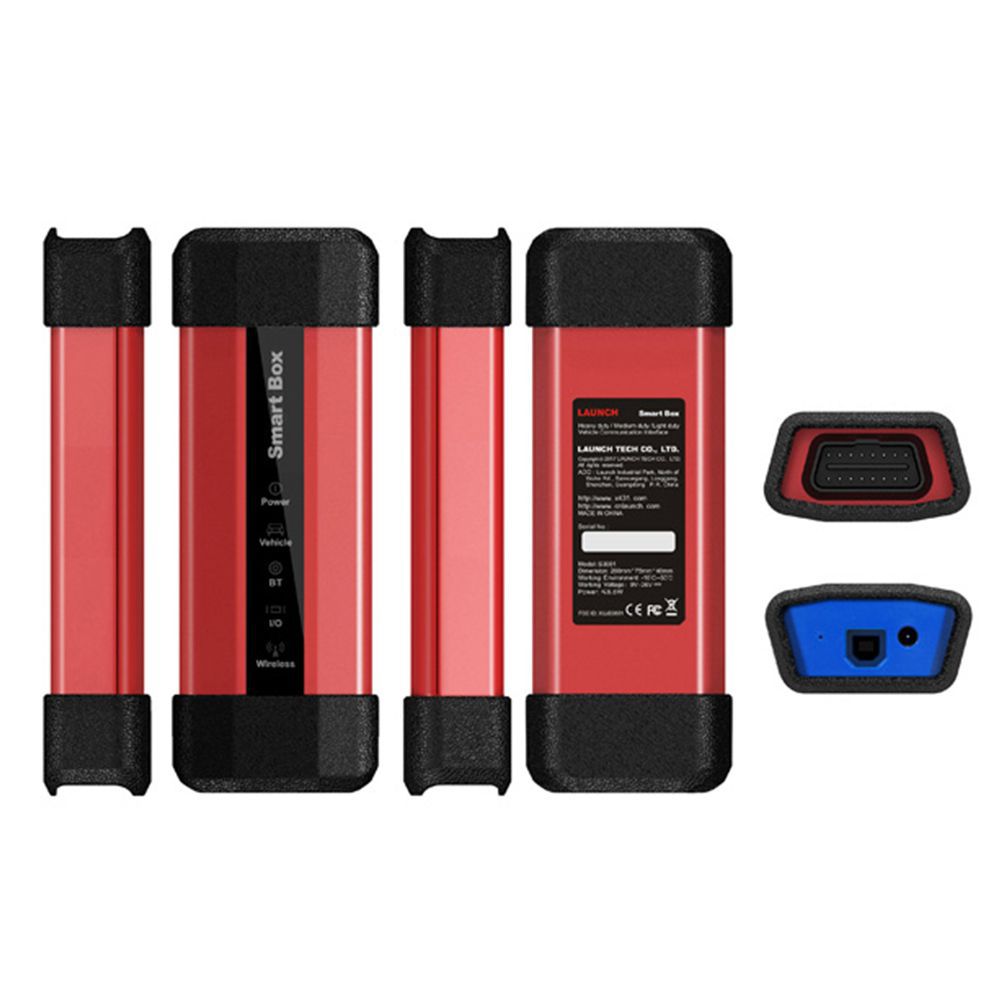
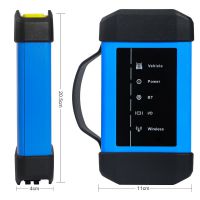
2.With it's new advanced Smartbox 3.0, X-431 PAD V could diagnose the passenger and heavy duty vehicles (software and adaptors are optional) with one single dongle.
3.Free Update Online for 3 Years.
- Price:
- US$4,000.00/ piece
- Discount Price:
- US$3,699.00/ piece 8%
- Quantity:
-


- Shipping:
- Express Shipping Service
Estimated delivery time: 3-15 working days.See details » - Returns:
- Return for refund within 7 days,buyer pays return shipping.Read details »
- Support:
-
 Online Chat
  WhatsApp
  Skype
Skype  Ask a question


- Product Details
- Product's Reviews
- Write a Review
- Related Products
Launch X431 PAD V 5 Automotive Diagnostic Tool Support Coding and Programming
Launch X431 PAD V 5 is Launch's latest top-end car comprehensive diagnostic scan tool based on the Android 7.1 system. It inherits Launch's many advantages in car fault diagnostic technologies, including large car model coverage, powerful functions, a large nuMBer of special functions, and accurate test data. With its new advanced Smartbox 3.0, X-431 PAD V can diagnose passenger and heavy-duty vehicles (software and adaptors are optional) with one single dongle. Additionally, it features a built-in J2534 adaptor, making the X-431 PAD V one of the most powerful scan tools on the market. The device also supports Launch's extension module applications for oscilloscopes, sensors, endoscopes, multimeters, and battery detection.
The operation is easier and more intuitive, featuring a "Full" vehicle brand package (over 80 brands), covering key European, Asian, and American vehicle manufacturers, along with the full potential of Launch diagnostic software. It is capable of diagnosing cars, commercial vehicles, and industrial vehicles (12V and 24V). The PAD V is compatible with J2534 and ISO22900 (Pass Thru) communication protocols, enabling connection to manufacturer websites for programming and other advanced functions.
Key Highlights of Launch X431 PAD V 5
- 3 Years Free Online Update
- 10.1″ full-fitting, sunlight-readable screen (Gorilla Glass), multi-point touch screen
- 1920×1200 high resolution, 9360mAh battery, QC3.0 fast charging
- Real-time remote diagnosis via Wi-Fi
- Supports commercial and passenger vehicle diagnostics; compatible with J2534, CAN FD, and DoIP
- Octa-core 2GHz CPU, 4GB RAM, 64GB memory; IP65 protection rating
- Special Functions Supported: Immobilizer/Key, Injector, Reset Brake Bleed, Reset TPMS, Electronic Throttle Relearn, Reset DPF, Reset SAS, Reset Oil, Reset Brake, Reset BMS
Advantages of Launch X431 PAD V
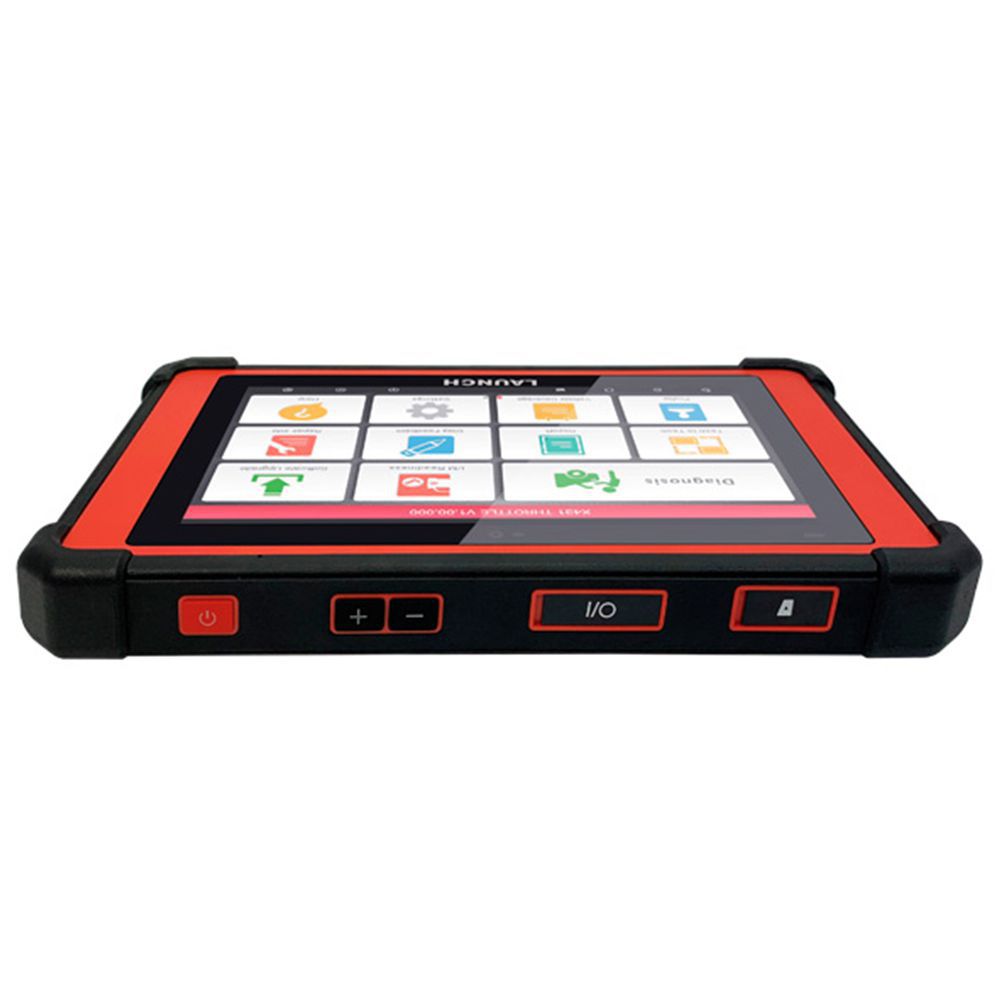
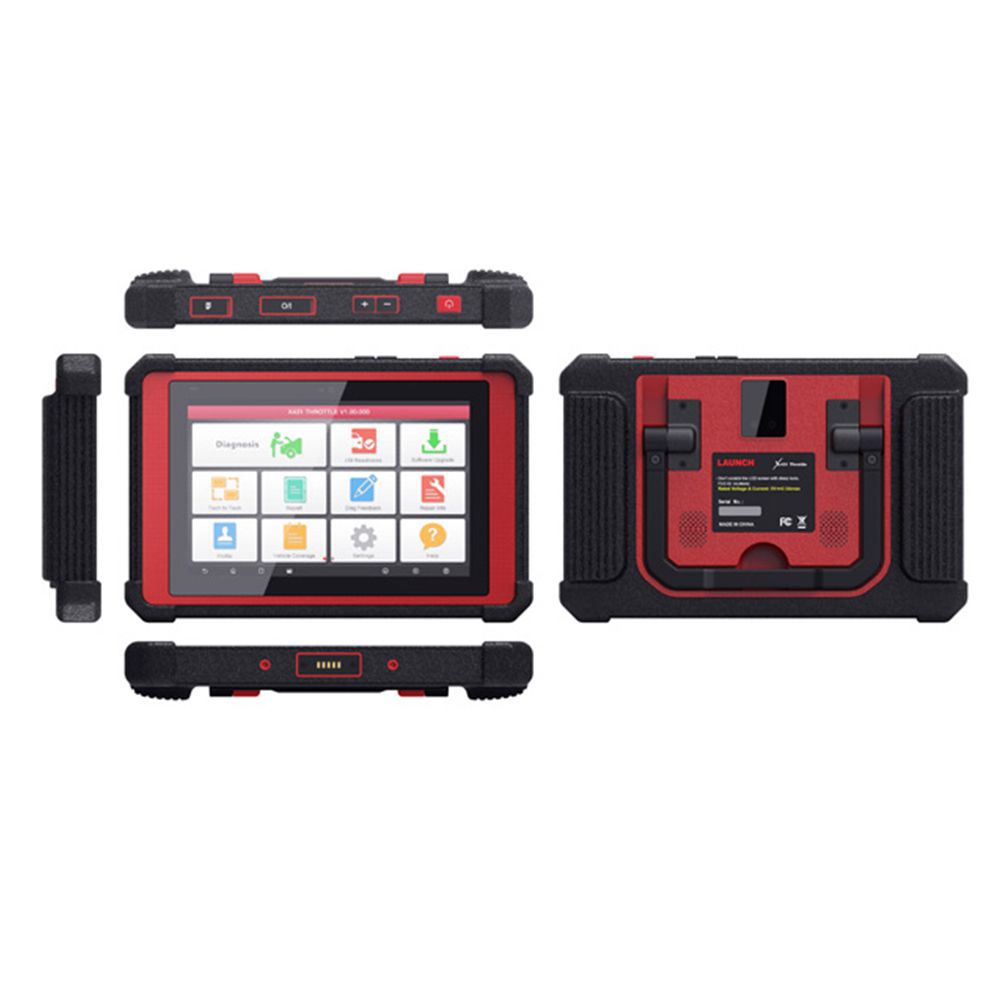
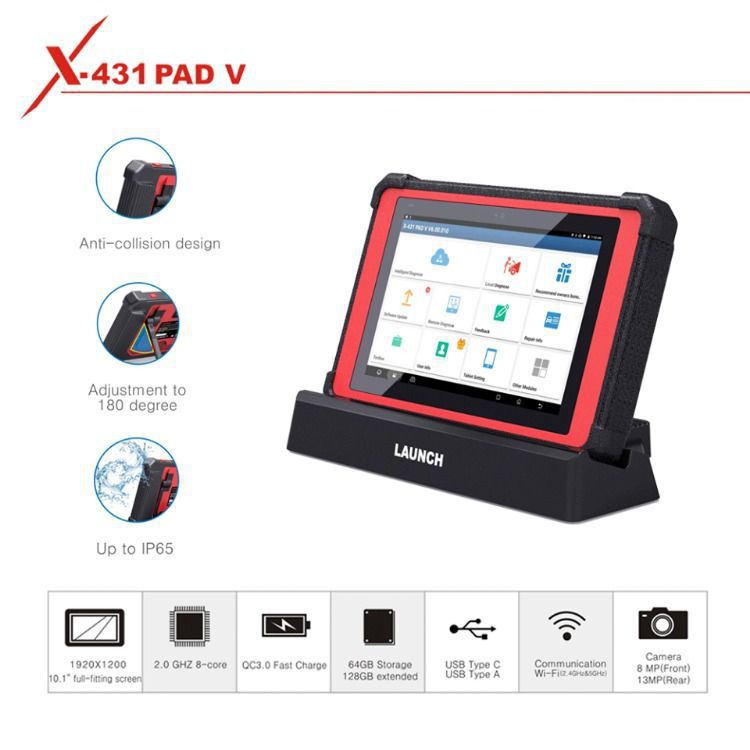
The device includes a charging base, front and rear cameras, non-OBD connectors, and a large 10.1-inch touchscreen. It features a lithium battery that lasts over 8 hours under intensive use and comes with a 180° adjustable handle offering three positions—for hanging, steering wheel support, or standard transport. Built to IP65 standards, the PAD V is protected against splashes, dust, and impacts.
It supports diagnosis for passenger, commercial, and industrial vehicles (12V and 24V) and is compatible with DoIP, CAN FD, J2534, and ISO22900 (Pass Thru) communication protocols—enabling direct programming via manufacturer websites. It also includes software for vehicles equipped with Advanced Driver Assistance Systems (ADAS) and is compatible with the X-431 ADAS Pro static calibration accessory.
Unlike the PRO 1 and PRO 3 models, the PAD V allows integration with optional accessories such as a 4-channel oscilloscope, battery tester, endoscope, and sensor simulator. Its full internet connectivity enables services like technical bulletin delivery, tele-diagnosis, online technical information (Data LAUNCH), automatic updates, and inter-workshop remote collaboration. It is also compatible with Golo telematics devices.
Features of Launch X431 PAD V 5
- Android 7.1 customized system, Qualcomm octa-core processor, 10.1-inch capacitive touchscreen, supports QC3.0 fast charging
- Dual-frequency Wi-Fi (2.4GHz & 5GHz), faster transmission than previous generation
- Cameras: 8MP front, 13MP rear; displays I/M Readiness Status
- Fifth-generation Wi-Fi technology with theoretical transmission speeds up to 4x faster
- Wide vehicle model coverage with powerful diagnostic functions (intelligent diagnosis, remote diagnosis, DTC reading/clearing, data stream reading, actuation tests), precise data, and extensive special functions
- Brand-new industrial design with soft rubber corners for impact protection; damping shaft allows nearly 180-degree adjustment; supports hanging, support, and normal usage modes
Functions of Launch X431 PAD V 5
- Comprehensive Diagnosis: Full-make, full-system, full-function rapid diagnosis including DTC reading/clearing, data stream reading, and actuation testing.
- Intelligent Diagnosis: Supports VIN-based auto-identification and cloud-based diagnostic record queries for smarter, more efficient diagnostics.
- Local Diagnosis: In offline environments, manually select vehicle make/model for traditional diagnostic procedures.
- Remote Diagnosis: Enables real-time text, image, and file communication between devices and remote desktops with low bandwidth and system resource usage.
- Special Functions: Supports 16 special functions including service lamp reset, throttle adaptation, steering angle reset, brake pad reset, tire pressure reset, anti-theft matching, ABS bleeding, battery matching, gear learning, injector coding, DPF regeneration, sunroof initialization, headlamp matching, suspension matching, AT matching, and EGR adaptation.
- Software Upgrade: One-click upgrade for operating system, client, vehicle software, and firmware.
- Diagnostic Feedback: Submit error reports during use; LAUNCH provides prompt responses.
- My Report: View comprehensive diagnostic reports, remote session logs, and data stream playback.
- Software Setup: Includes connector management, activation, firmware repair, and diagnostic connection settings.
- Extended Modules: Compatible with oscilloscope, sensor tester, battery tester, endoscope, Wi-Fi printer, and more.
- Data Stream Reading: Offers multiple display modes and user-defined standard data streams.
- Traditional Diagnosis: Manual vehicle selection for diagnostics when intelligent mode is unavailable due to lack of network.
Vehicles Supported by Launch X431 PAD V 5
1. Passenger Vehicles Supported
- Australian: AUST Holden, AUST Ford
- Asian: Toyota/Lexus, Honda/Acura, Mazda, Subaru, Nissan/Infiniti, Mitsubishi, Hyundai, Isuzu, Daihatsu, KIA, Daewoo, Suzuki, Proton, Tata, Mahindra, Ssangyong, Perodua, Maruti
- European: Audi, mercedes/Maybach, BMW/MINI/Rolls Royce, VW/Bentley/Bugatti, Opel/Vauxhall, Peugeot, Citroen, Volvo, Sprinter, Renault/Dacia, Fiat/Romeo/Abarth/Lancia, Rover, Landrover, Saab, Seat, Skoda, Smart, Maserati, Ferrari, Aston Martin, Porsche, Jaguar
- USA: USA Ford/Lincoln, GM/Buick/Cadillac/Chevrolet, Chrysler/Dodge/Jeep
- Chinese: Changcheng (Great Wall), Geely, Qirui_TY (Cherry), Futian, Changan, Changhe, Haifei, etc.
- Others: EOBD, Demo
Special Functions Supported: Immobilizer/Key, Injector, Reset Brake Bleed, Reset TPMS, Electronic Throttle Relearn, Reset DPF, Reset SAS, Reset Oil, Reset Brake, Reset BMS
2. Heavy Duty Vehicles Supported
Software Coverage:
Nissan (Diesel), Mitsubishi (Diesel), USA Ford Diesel, Kenworth Astra, Benz Heavy Duty, Bosch Diesel, China Heavy Duty, Cummins Heavy Duty, DAF, Delphi Diesel, Denso Diesel, FAW Liberation, Foton Auman, FUSO, Hino, Hyundai Heavy Duty, Isuzu Heavy Duty, Iveco Heavy Duty, JAC Heavy Duty, Mack, MAN, OBD Heavy Duty, Scania, Shangchai Diesel, Volvo Heavy Duty, WP Diesel, Airbus, Allison Transmission Box, Ashok Rejlander, Bendix ABS, Caterpillar Heavy Duty, Chai Heavy Vehicle, Chaoyang Diesel, Construction Machinery, CREDO Heavy Vehicle, Detroit Engine, Dongfeng Commercial Vehicle, Dongfeng Yufeng, Doosan Engine, Freightliner Heavy Duty Truck, Full Diesel Diagnosis Software, Haldex ABS Heavy Duty, HD_ABS System, HD_GoldenDragon, HD_International, HD_Kinglong, HD_Maxxforce, HD_Tata, HD_Western_Star, Heavy Truck Presentation Software, IRISBUS HD, IRIZAR HD, NEOPLAN HD, Peter HD, Renault HD, SETRA HD, Stannic Bavin, Sterling HD, Sunlong Bus, Sunwin Bus, UD Trucks 2F Nissan Diesel, WABCO ABS, Yang Chai Engine
Powerful Special Functions: Component Replacement, Cylinder Compression Test, Injector Cut Out Test, DPF Regeneration, Communication with ABS & Transmissions from Bendix, Wabco, and Allison, Tech-to-Tech remote communication.
Optional Extension Modules
- Oscilloscope and ignition analyzer
- Endoscope
- Battery tester
- Scope box
- Sensor box: Sensor tester and simulator + Multimeter
- Static calibration accessory X-431 ADAS Pro
- DATA LAUNCH technical information
- Optional accessories: Furniture for stabilizer and diagnosis MB 90 and MB 80
Smartbox 3.0 - J2534 Operation Manual
1. Connection of Smartbox 3.0
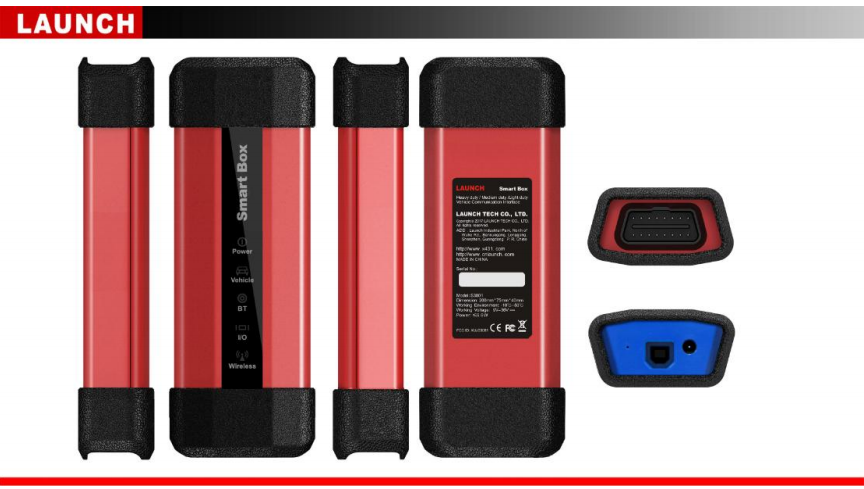
Smartbox 3.0 includes a USB cable. Connect one end of the USB cable to Smartbox 3.0 and the other end to a PC's USB port. Then connect Smartbox 3.0 to the OBD interface bus, and link the bus to the OBD connector.
How to Install Launch X431 PAD V 5 Software Package and Driver?
2.1 Installation Steps of Software Package
Note: Ensure the PC user has administrator rights and that Smartbox 3.0 is connected to the PC before installation.
- Open "SmartBox_3.0_Setup.exe" and select the installation path as prompted.
- Click 'Change' to set the installation path, then click 'Next'.
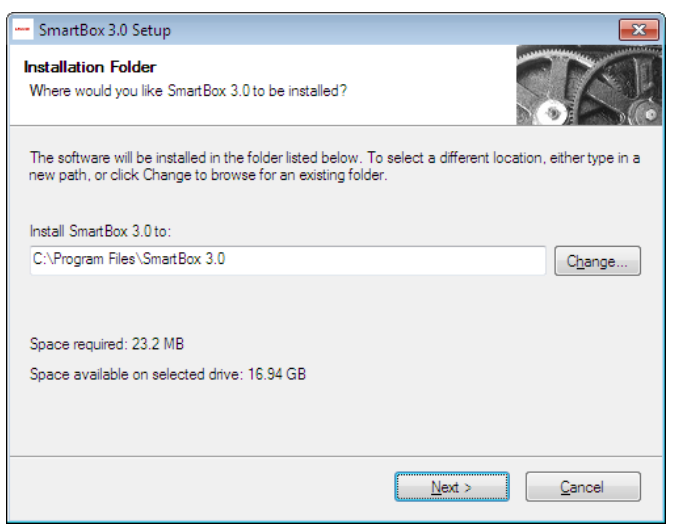
- Confirm the installation path and click 'Next'.
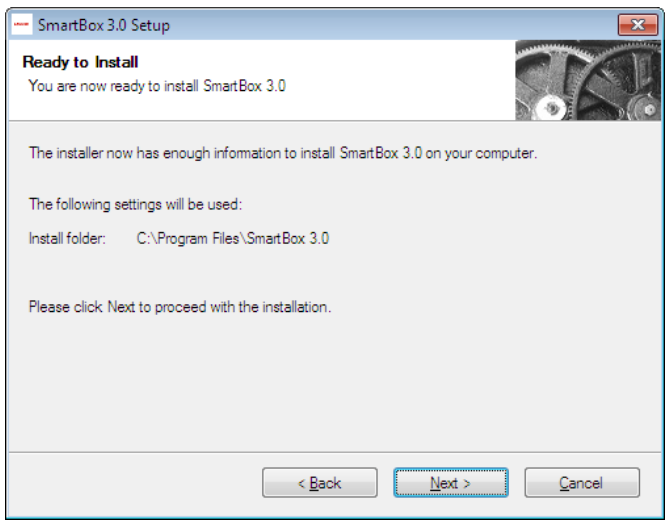
- Click 'Next' to begin driver installation. It is recommended to have the device connected. The software will install automatically.
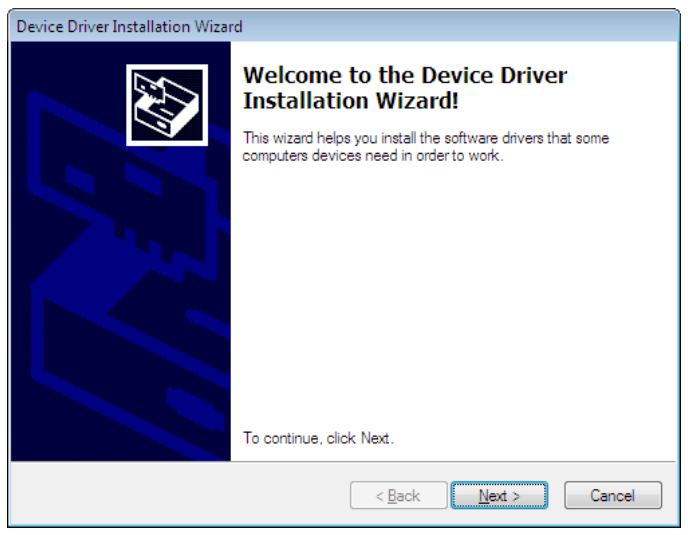
- Click 'Done'. Drivers installed!
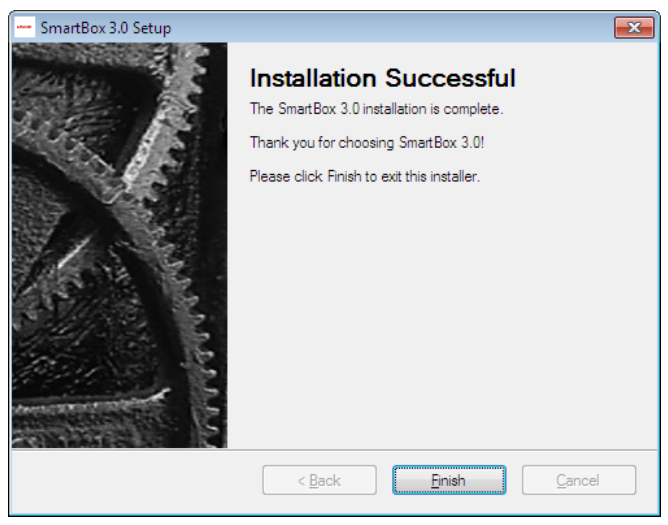
- Click 'Done' again. Software installed!
2.1.2 J2534 Registry Information View (Reserved)
After installation, LAUNCH’s J2534 DLL registration information can be found in the registry.
- Open the "Run" window (shortcut: Windows+R).
- Type "regedit" and press Enter.
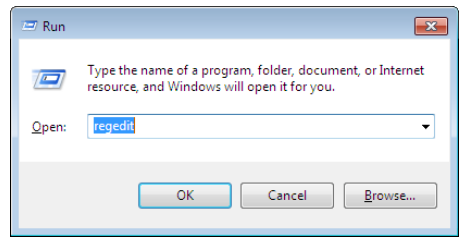
- Navigate to:
HKEY_LOCAL_MACHINE\SOFTWARE\PassThruSupport.04.04
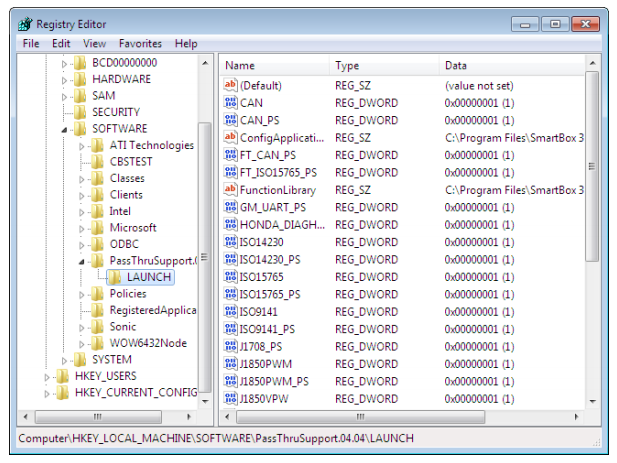
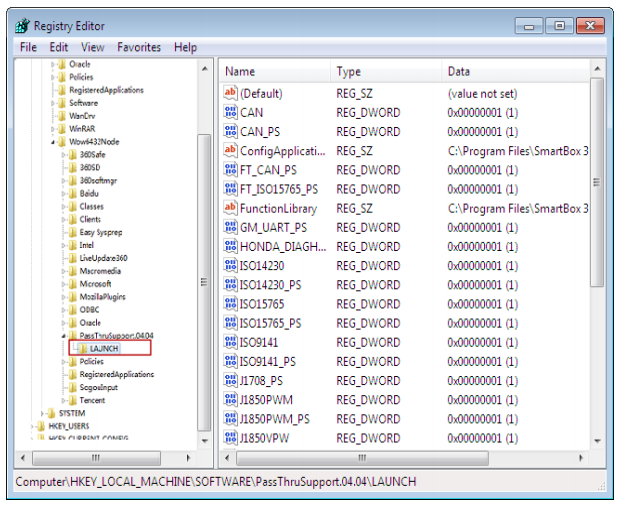
Note: On 64-bit systems, if the information is not visible, check:HKEY_LOCAL_MACHINE\SOFTWARE\Wow6432Node\PassThruSupport.04.04
How to Update Launch X431 PAD V 5?
After installing "SmartBox_3.0_Setup", run "SmartBox Tool 3.0" from the Windows desktop.
3.1 Firmware Upgrade Function
SmartBox 3.0 can be upgraded using SmartBox Tool 3.0:
- Select "M7 Upgrade" for lower-level program updates.
- Select "A7 Upgrade" for system-level upgrades.
- Click "Browse" to choose the update file path, then click "Upgrade".
Note: Restart both the software and SmartBox 3.0 after the upgrade. Verify the version to confirm success.
3.2 Log View Function
Enable "Write Log File" or "Window Print Information" to record test status and processes when needed. To prevent excessive log size, disable unless required (e.g., for debugging).
- Logs are saved by default at:
C:\Program Files\SmartBox 3.0\SmartBox 3.0\Log\J2534_LOG.txt - If logs fail to generate, ensure write permissions for the folder (requires administrator rights).
To Modify Folder Permissions:
- Right-click the "Log" folder → "Properties".
- Go to "Security" tab → Select current user → Click "Edit".
- Select user name again, check all "Allow" options under permissions, then click "OK".
Technical Specifications: Launch X431 PAD V 5
| Processor | 8-core Cortex-A53 2.0GHz |
|---|---|
| RAM | 4GB |
| Storage | 64GB (expandable to 128GB) |
| Operating System | Android 7.1 |
| Screen | 10.1 inch full-fitting, sunlight-readable (Gorilla Glass) |
| Resolution | 1920×1200 |
| Wi-Fi | Supports 2.4GHz & 5GHz dual frequency |
| Camera | Rear: 13MP, Front: 8MP |
| Diagnostic Mode | Wi-Fi |
| Operating Temperature | -10°C to 50°C |
SmartBox 3.0 Technical Parameters
| Main Structure | Dual processor: Cortex–A7 + Cortex–M7 |
|---|---|
| System | Linux |
| Memory | 256MB |
| Storage | 8GB |
| Power Supply | DC 9–36V |
| USB Interface | Type B USB 2.0 |
| Bluetooth | BLE 4.0 + EDR |
| Wi-Fi | 2.4GHz / 5GHz dual-band |
| Indicator Lamps | 5 multifunction indicator lamps |
| Vehicle Connection | J1962 16PIN |
Launch X431 PAD V 5 Package Contents
- 1 x X-431 PAD V main unit
- 1 x X-431 PAD V charging dock
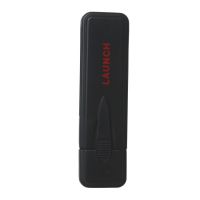
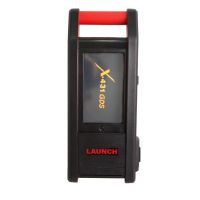
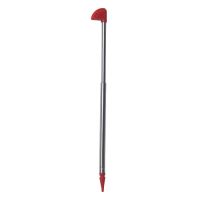
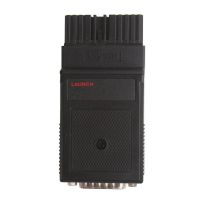
- 1 x Smartbox 3.0 diagnostic connector
- 1 x Micro USB cable
- 1 x Cigarette lighter cable
- 1 x 5V DC out power adapter
- 1 x Battery clamps cable
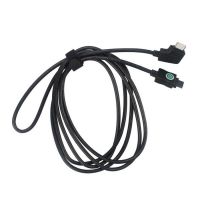
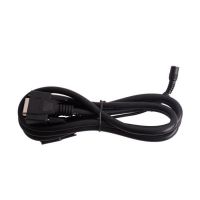
- 1 x OBD II extension cable
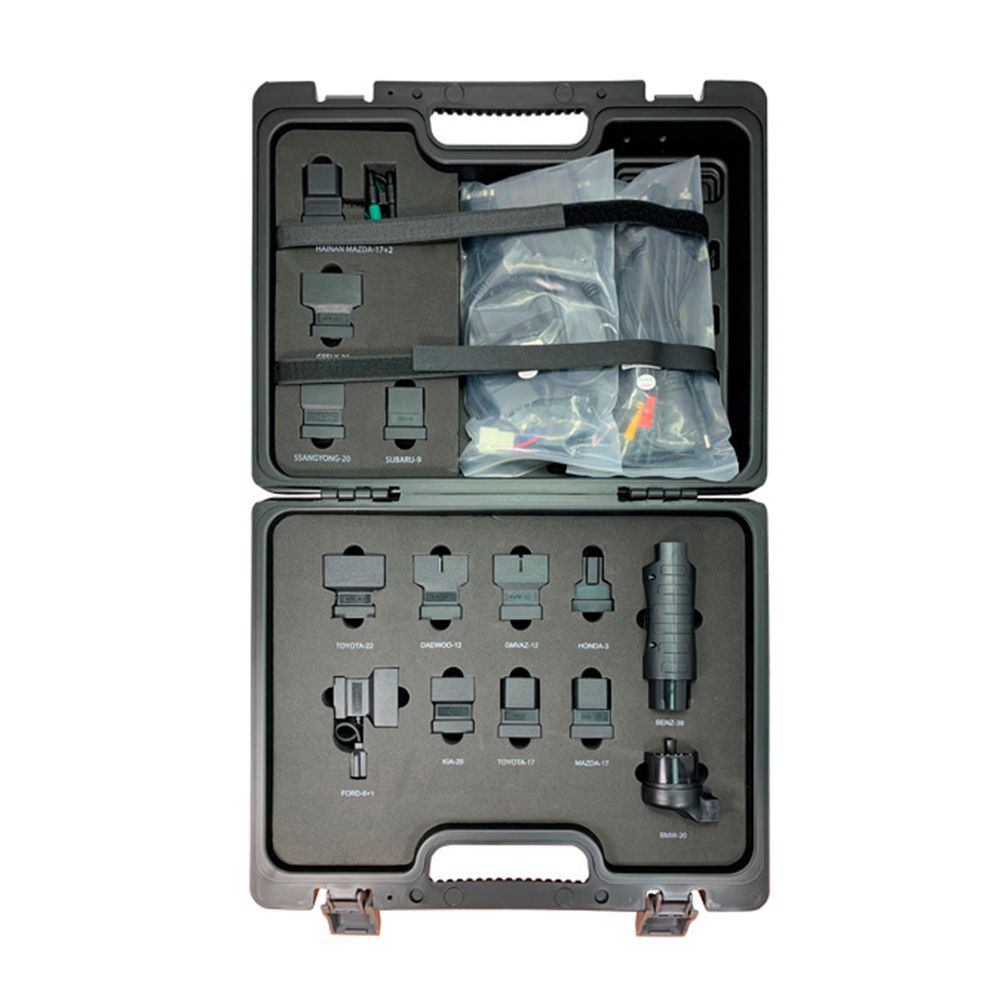
- 1 x Non-16pin connector conversion cable
- 1 x Password envelope
- 1 x Non-16pin connectors set



- Related Items
- Recommond Tools
- Hot Sale
- On Sale
- New Arrivals
- Freeshipping Items
-
 US$999.00 / piece
 -
 US$169.00 / piece
 -
 US$379.05 / piece
 -
 US$159.00 / piece
 -
 US$550.05 / piece
 -
 US$179.00 / piece
-
 US$14.00 / piece
 -
 US$99.99 / piece
 -
 US$1,299.00 / piece
 -
 US$509.00 / piece
 -
 US$274.28 / piece
 -
 US$109.00 / piece
-
 US$55.00 / piece
 -
 US$6.90 / piece
 -
 US$98.00 / piece
 -
 US$899.00 / piece
 -
 US$1.90 / piece
 -
 US$929.00 / piece
-
 US$59.99 / piece
 -
 US$236.55 / piece
 -
 US$89.00 / piece
 -
 US$289.00 / piece
 -
 US$94.00 / piece
 -
 US$129.00 / piece
-
 US$34.99 / piece
 -
 US$129.00 / piece
 -
 US$148.00 / piece
 -
US$6.90 / piece
-
 US$599.00 / piece
 -
 US$1,479.00 / piece
-
 US$24.99 / piece
 -
 US$24.99 / piece
 -
 US$84.55 / piece
 -
 US$22.99 / piece
 -
 US$9.99 / piece
 -
 US$122.55 / piece
Trending Products
 US$979.00 / piece
 US$1,956.05 / piece
 US$464.00 / piece
 US$479.00 / piece
 US$799.00 / piece
 US$1,398.00 / piece