 USD
USD Euro
Euro British Pound
 Australian Dollar
- Home
-
Categories
- Car Diagnostic Tools
- Original Brand Tools
- Car Key Programmers
- OBD2 Code Scanners
- Truck Heavy Duty Scanners
- ECU Chip Tuning Tools
- Odometer Correction Tools
- VAG Diagnostic Tool
- Original Launch X431 Tools
- Original Autel Tool
- Original Xhorse Tool
- Key Cutting & Locksmith Tools
- Airbag/Service Reset Tools
- OBD2 Cables and Connectors
- AUGOCOM Camshaft Engine Timing Tool
- Other OBDII Vehicle Tools
- Car Key Blanks
- Car Key Chips
- Car Diagnostic Software
- Automotive Electrical Testers & Test Leads
- Auto HID Xenon Light and LED Light
- Automotive Electronics
- Repair & Maintenance Tools
- MB Star Diagnostic Tools
- Health Care
- Special Deals
- Consumer Electronics
- Home & Garden
- Outdoor
- Expired Tools
- Top Selling
- New Arrivals
- for MB
- for Porsche
- Xhorse
- for TOYOTA
- for FORD
- Order Tracking
- Drop-ship
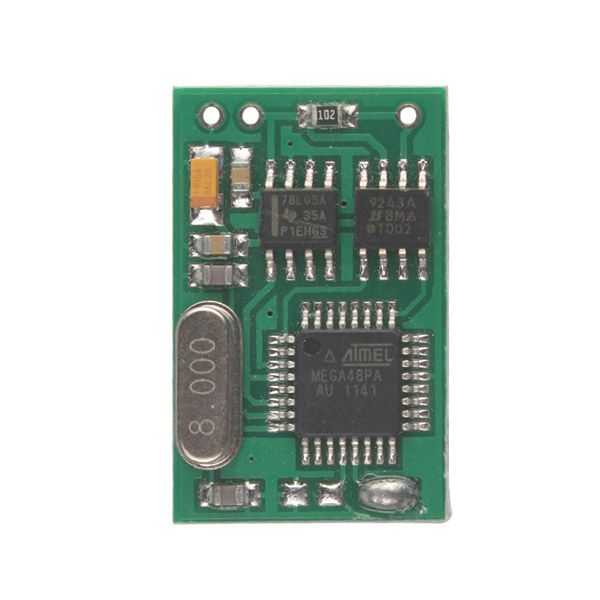
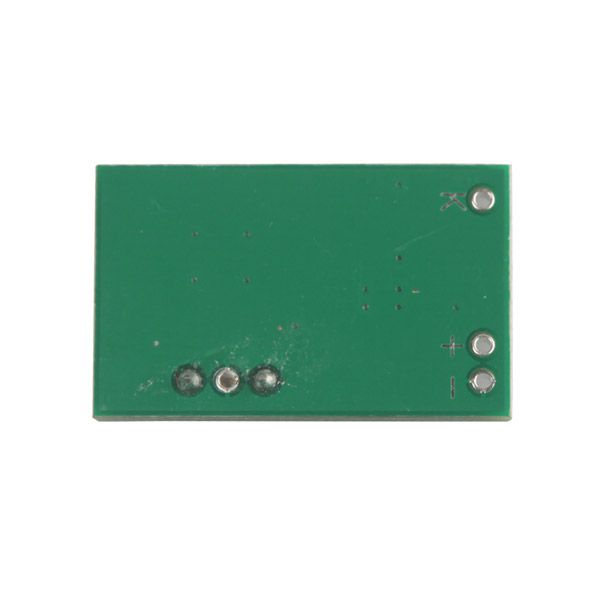
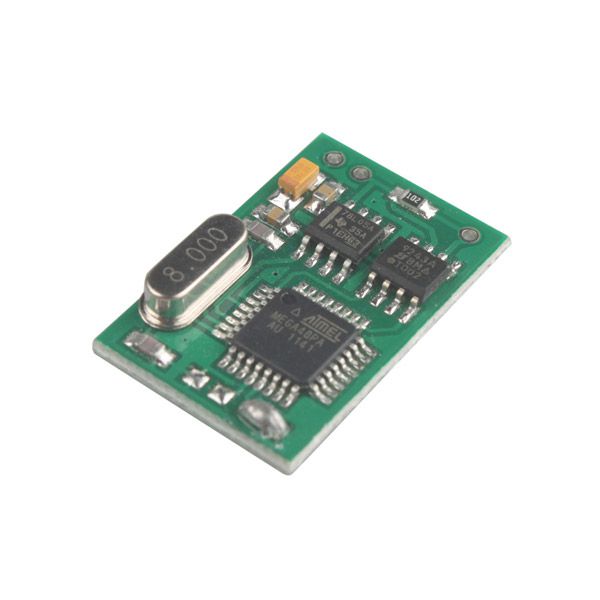
Emulator E34 E36 E38 E39 E46 for BMW EWS2 EWS3.2 Best Selling Free Shipping
BMW EWS2 EWS3.2 emulator, it is an emulator for BMW E34 E36 E38 E39 E46.
Item No. COBD2549 Price Down Notice
Out of Stock
- Price:
- US$16.99/ piece
- Discount Price:
- US$14.00/ piece 18%
- Quantity:
-


- Shipping:
- Airmail Post
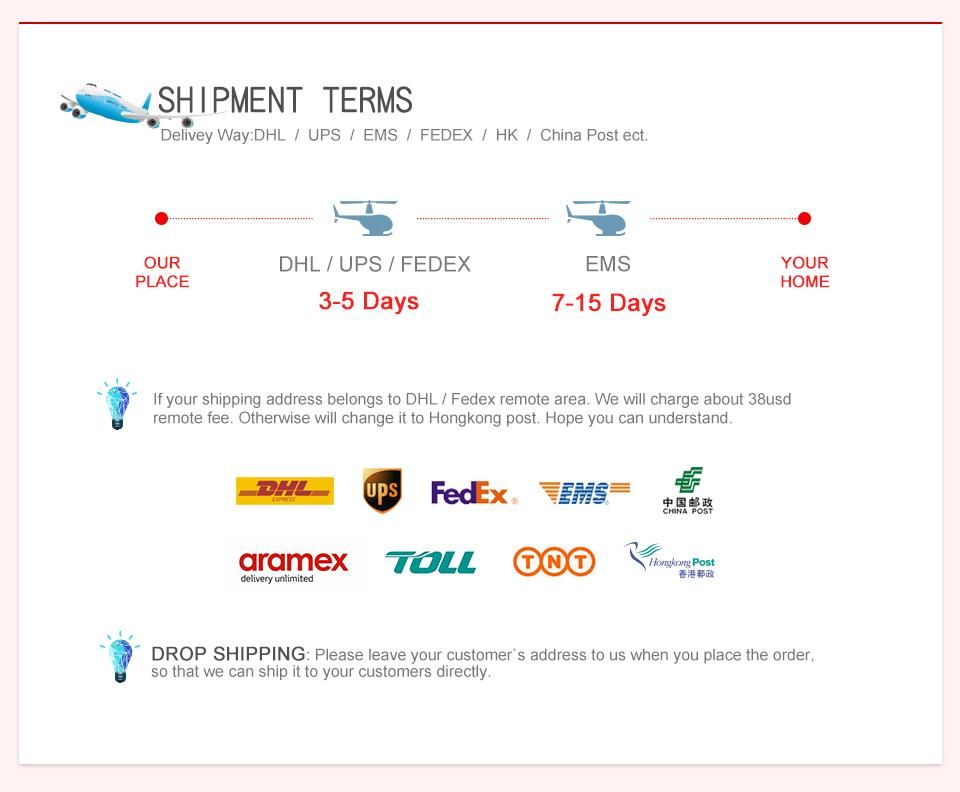
Estimated delivery time: 7-45 working days.See details» - Returns:
- Return for refund within 7 days,buyer pays return shipping.Read details »
- Support:
-
 Online Chat
  WhatsApp
  Skype
Skype  Ask a question


US$289.00 / piece
US$599.00 / piece
US$1,198.50 / piece
US$89.00 / piece

US$129.00 / piece
US$44.99 / piece
US$379.05 / piece
US$43.90 / piece
US$599.00 / piece
US$79.90 / piece
US$9.99 / piece
US$199.00 / piece
US$109.00 / piece
US$459.00 / piece
US$159.00 / piece
US$119.00 / piece
- Product Details
- Product's Reviews
- Write a Review
- Related Products
BMW EWS2 EWS3.2 Emulator for E34 E36 E38 E39 E46
Top 2 Reasons to Get the BMW EWS2 EWS3.2 Emulator
- There are NO counters or car start limits. You can change and store a new ISN without any limitations.
- The emulator is shipped with JUMPER 1 shorted. For testing purposes, ISN 0579 is stored by default.
Important Notice
In the case of EWS3.2, a similar procedure is used—the only difference is that it is NOT connected directly to the diagnostic K-line.
Connection Diagram
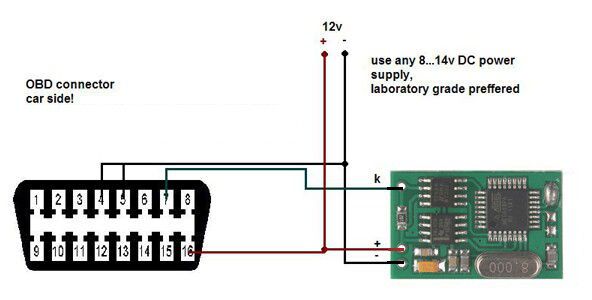
BMW EWS Emulator Installation Instructions
- Remove the original EWS2 control unit. Locate the +12V ACC, GND, and K-line wires, then attach the emulator. Ensure the emulator is in service mode: JUMPER 1 must be shorted.
- Connect ANY K-line diagnostic adapter to the vehicle’s diagnostic connector and launch the EMULATOR CONFIGURATION UTILITY:
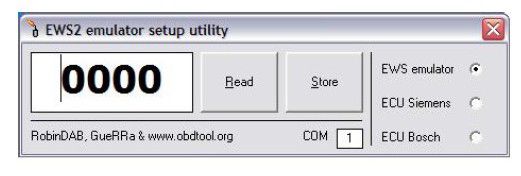
- Choose the COM port, enter your desired ISN number, and press the Store button.
- For some ECUs, it is possible to read the ISN number directly from the engine control unit. In this case, select the option ECU xxxxx, then press Read. If successful, choose the option EWS emulator and press Store to save the ISN number into the emulator.
- Disconnect the emulator from the K-line, remove JUMPER 1, and connect the K output from the emulator to the DME(DDE) <-> EWS line.
- Don’t forget to short the two starter relay wires (EWS connector)!
- The car is now ready to start.
In the case of EWS3.2, a similar procedure is used—the only difference is that it is NOT connected directly to the diagnostic K-line.
There are NO counters or car start limits. You can change and store a new ISN without any limitations.
The emulator is shipped with JUMPER 1 shorted. For testing purposes, ISN 0579 is stored by default.
Package Includes
- 1pc × BMW EWS2 EWS3.2 Emulator for E34 E36 E38 E39 E46
More
More
More
More
More
More
- Related Items
- Recommond Tools
- Hot Sale
- On Sale
- New Arrivals
- Freeshipping Items
-
 US$55.00 / piece
 -
US$1,198.50 / piece
-
US$599.00 / piece
-
 US$627.00 / piece
 -
 US$52.12 / piece
 -
 US$39.99 / piece
-
 US$24.99 / piece
 -
 US$669.00 / piece
 -
 US$649.00 / piece
 -
 US$1,398.00 / piece
 -
 US$179.00 / piece
 -
 US$1,248.71 / piece
-
 US$450.00 / piece
 -
US$459.00 / piece
-
 US$794.00 / piece
 -
 US$749.00 / piece
 -
 US$39.90 / piece
 -
US$199.00 / piece
-
 US$2,599.00 / piece
 -
US$669.00 / piece
-
US$24.99 / piece
-
 US$999.59 / piece
 -
US$44.99 / piece
-
 US$1,956.05 / piece
-
 US$979.00 / piece
 -
 US$169.00 / piece
 -
 US$129.00 / piece
 -
 US$259.00 / piece
 -
 US$999.00 / piece
 -
 US$139.00 / piece
-
 US$64.00 / piece
 -
 US$42.90 / piece
 -
 US$12.99 / piece
 -
 US$1,355.00 / piece
 -
 US$55.99 / piece
 -
 US$151.05 / piece
Trending Products
 US$148.00 / piece
- US$649.00 / piece
- US$55.00 / piece
 US$39.99 / piece
 US$1,479.00 / piece
 US$340.00 / piece