 USD
USD Euro
Euro British Pound
 Australian Dollar
- Home
-
Categories
- Car Diagnostic Tools
- Original Brand Tools
- Car Key Programmers
- OBD2 Code Scanners
- Truck Heavy Duty Scanners
- ECU Chip Tuning Tools
- Odometer Correction Tools
- VAG Diagnostic Tool
- Original Launch X431 Tools
- Original Autel Tool
- Original Xhorse Tool
- Key Cutting & Locksmith Tools
- Airbag/Service Reset Tools
- OBD2 Cables and Connectors
- AUGOCOM Camshaft Engine Timing Tool
- Other OBDII Vehicle Tools
- Car Key Blanks
- Car Key Chips
- Car Diagnostic Software
- Automotive Electrical Testers & Test Leads
- Auto HID Xenon Light and LED Light
- Automotive Electronics
- Repair & Maintenance Tools
- MB Star Diagnostic Tools
- Health Care
- Special Deals
- Consumer Electronics
- Home & Garden
- Outdoor
- Expired Tools
- Top Selling
- New Arrivals
- for MB
- for Porsche
- Xhorse
- for TOYOTA
- for FORD
- Order Tracking
- Drop-ship
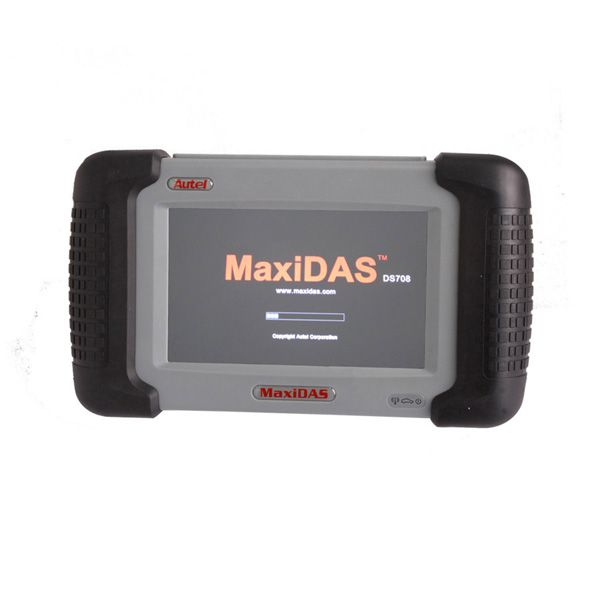
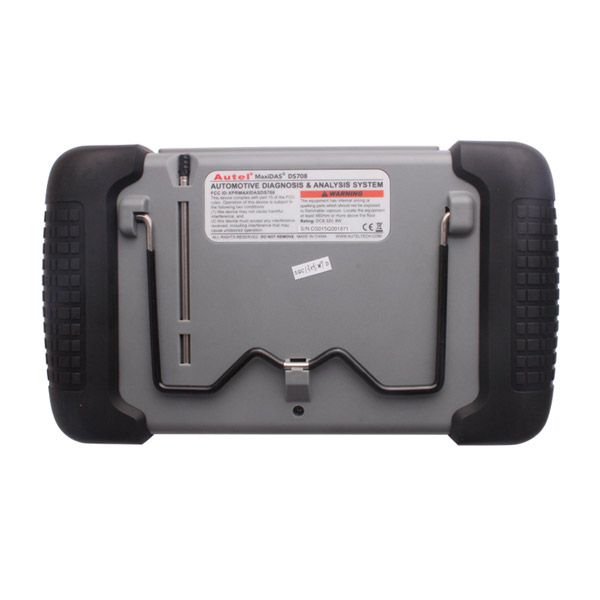
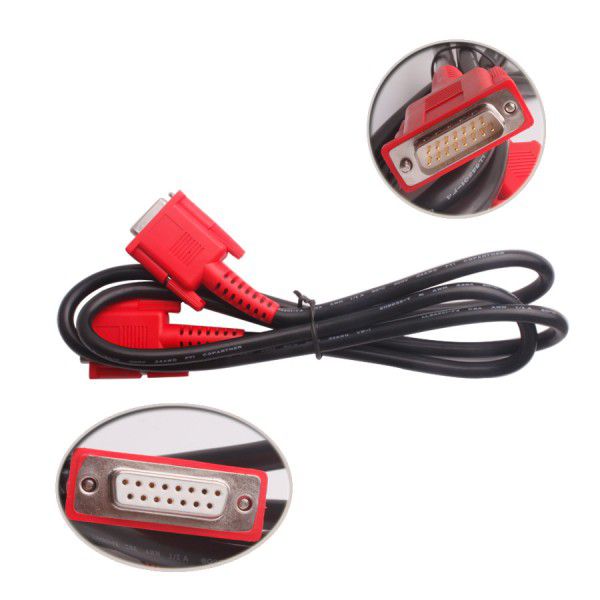
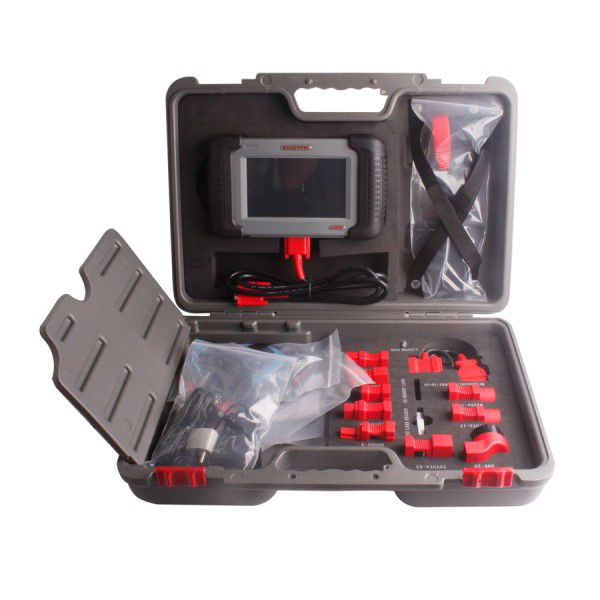
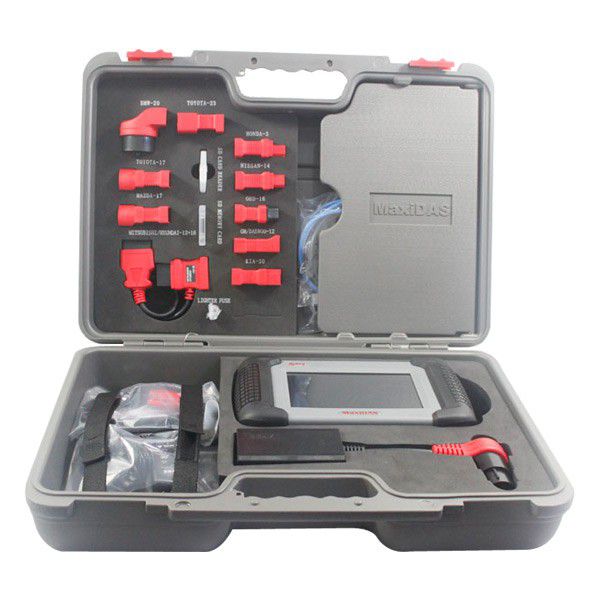
Original Autel MaxiDas DS708 Auto Diagnostic Tool Wifi Scanner Update Online Free Shipping
- Price:
- US$899.00/ piece
- Discount Price:
- US$799.00/ piece 11%
- Quantity:
-


- Shipping:
- Express Shipping Service
Estimated delivery time: 3-15 working days.See details » - Returns:
- Return for refund within 7 days,buyer pays return shipping.Read details »
- Support:
-
 Online Chat
  WhatsApp
  Skype
Skype  Ask a question


- Product Details
- Product's Reviews
- Write a Review
- Related Products
Original Autel MaxiDAS DS708 Wireless Scanner
Top 6 Reasons to Get Autel MaxiDAS DS708
- Support Multi-Language: English, Spanish, French, German, Portuguese and Russian
- One Year Free Update Online (After One Year, USA and Canada Customer Update Service $695/Year, Other Areas Update Service $500/Year)
- Extensive Vehicle Coverage for More Than 50 Domestic, Asian and European Vehicle Makes
- Powerful Function: Supports 12V Petrol and Diesel
- Complete Function Capability Including: Live Data, ECU Programming, Sensor Initializations, Coding & Module Set Up Functionality
- Wi-Fi Internet Capability: Allows for wireless access throughout the workshop
Important Notices
- If you live in the USA, we will ship from our USA warehouse by UPS—NO TAX with fast delivery.
- This DS708 is not the Latin version.
Autel MaxiDAS DS708 Features and Functions
- Extensive vehicle coverage for more than 30 domestic, Asian and European vehicle makes
- Deep vehicle system coverage for ALL electronic systems
- Complete function capability including live data
- Unparalleled OBDII functionalities supporting ALL 5 OBDII protocols and ALL 9 test modes
- Automatic Wi-Fi updates available in new software releases
- Innovative dual-processor technology for quicker diagnostics and boot-up
- The genuine Windows CE operating system allows for more stable performance, better compatibility and expandability
- Internet Explorer brings internet resources of your choice at your fingertips
- Wi-Fi internet capability allows for wireless access throughout the workshop
- Extremely easy-to-use with touch-screen operation and intuitive interface
- Unique shop-tough ergonomic design features multi-layered rubber protection and strong housing
- Intelligent memory of vehicles for easy and quick diagnosis of tested vehicles
- Captures, saves and prints screenshots for convenient troubleshooting
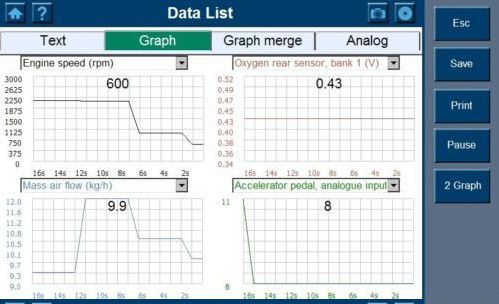
- Displays live data in text, graph and analog formats for easy data review and analysis
- Records and plays back live data to pinpoint troubles of sensors and components
- Innovative graph merging for easy and quick detection of intermittent problems
- Automatic Wi-Fi Data Logging for quick and accurate technical support and troubleshooting
- Built-in overvoltage protection keeps the instrument and vehicle from unwanted damages
- Creative remote diagnosis for convenient demonstration and training
- Powered by Autel® Uni-SCANTM technology with no need for extra adaptors or "keys"
- Prints out recorded data anytime and anywhere with Wi-Fi printing capability
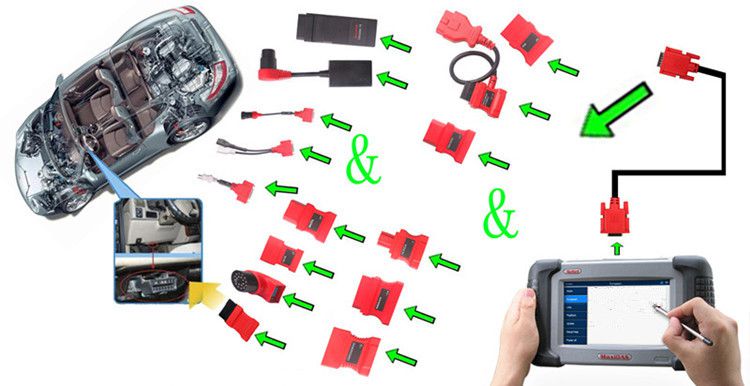
Autel MaxiDAS DS708 Connection Picture
Autel MaxiDAS DS708 English Version Vehicle List
1. European Vehicle List:
AUDI, BENZ, BMW, DACIA, EU FORD, LANDROVER, MINI, OPEL, PEUGEOT, RENAULT, SEAT, SKODA, VW, VOLVO, SMART, JAGUAR, BENZ SPRINTER, SAAB, FIAT, ABARTH, LANCIA, ALFA ROMEO, VAUXHALL, MAYBACH, BENTLEY, BUGATTI, PORSCHE.
2. USA Vehicle List:
3. Asian Vehicle List:
SUZUKI, KIA, DAEWOO, ISUZU, TOYOTA, SUBARU, SCION, NISSAN, MITSUBISHI, LEXUS, INFINITI, HYUNDAI, HOLDEN, HONDA, ACURA, MAZDA.
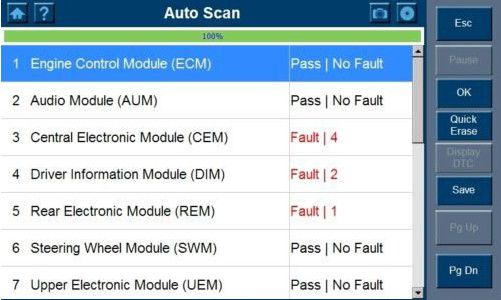
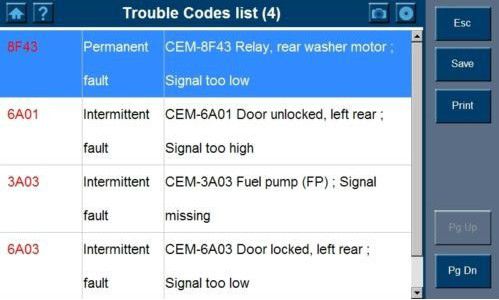
MaxiDAS DS708 Software Display
Autel MaxiDAS DS708 Software Update
Autel frequently releases software updates that you can download. The Update feature makes it very easy to determine and get exactly what you need. The Update allows you to update the scan tool software either through the scan tool or via a computer.
1. Autel DS708 Update Software Through the Scan Tool
- Ensure that the scan tool is connected to a power source and the power LED light is illuminated.
- Press the ON/OFF button to turn on the scan tool and wait for the Home screen to appear.
- Connect the scan tool to the Internet. (Please refer to Section 5.2 Wi-Fi or Section 5.3 Network.)
- From the main screen, choose Update, and the scan tool will load and display the “MaxiDAS ® DS708 Update V3.25.18: (user name)” screen. Update checks for available updates.
- If the system program in your scan tool is not the latest version, we suggest you update it right now. When the system program is installed, the scan tool will prompt you with a message: “Please restart the scan tool to finish updating.” You may exit the program and restart the scan tool now or try later.
- In the Update window, select the items you want to install. Usually, you should install all available updates.
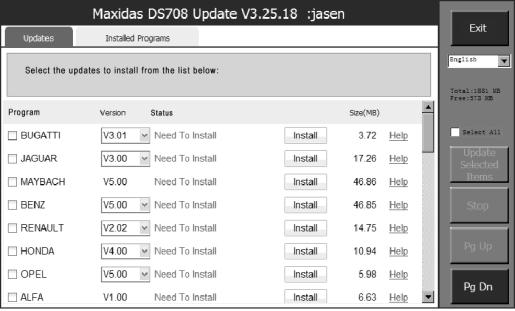
Update through scan tool – Main Screen
NOTE: If the scan tool fails to log on during the updating process, you might be using an illegal or limited connection. Please consult your Internet administrator and adjust Internet settings. To check the Internet status, you can try logging on to a website on the scan tool.
2. Autel DS708 Update Software Via a Computer
- Ensure that the update application software has been properly installed to your PC. If not, please refer to Section 2.3 Install the PC Software.
- Make sure that your computer is connected to the Internet.
- Load the SD card of the scan tool into your PC.
- Run the update client software. Wait for the Log In window to pop up.
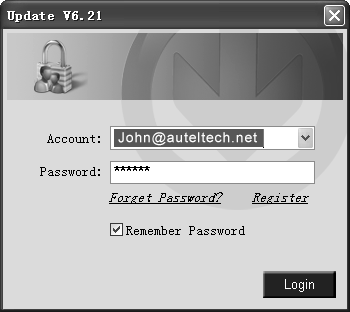
- Enter the user name and password and wait for the Update window to display. If you forget your password unintentionally, you may always click the [Forget Password?] link to our website and recover your password.
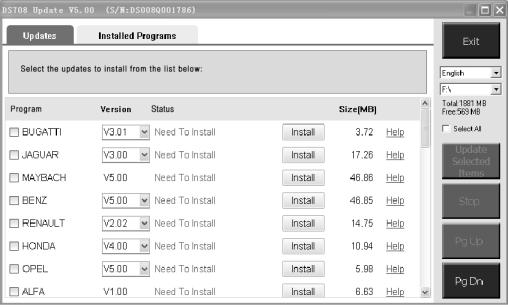
- Use the pull-down menu on the right to select an SD card if two or more SD cards have been connected to the PC.
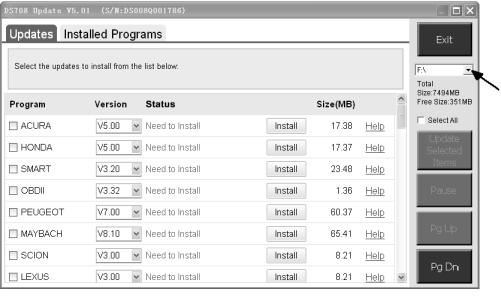
- The detailed updating procedure operates as per the user manual.
Autel MaxiDAS DS708 Component Descriptions
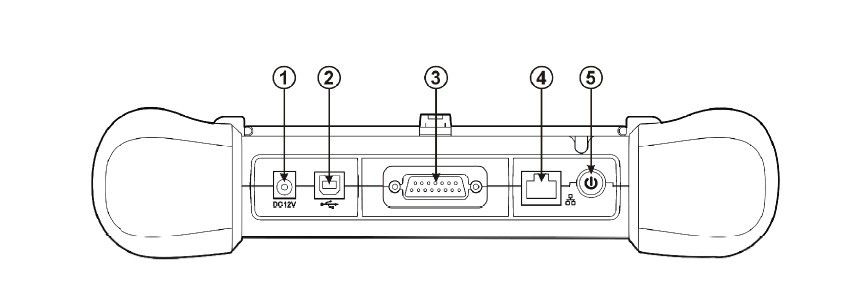
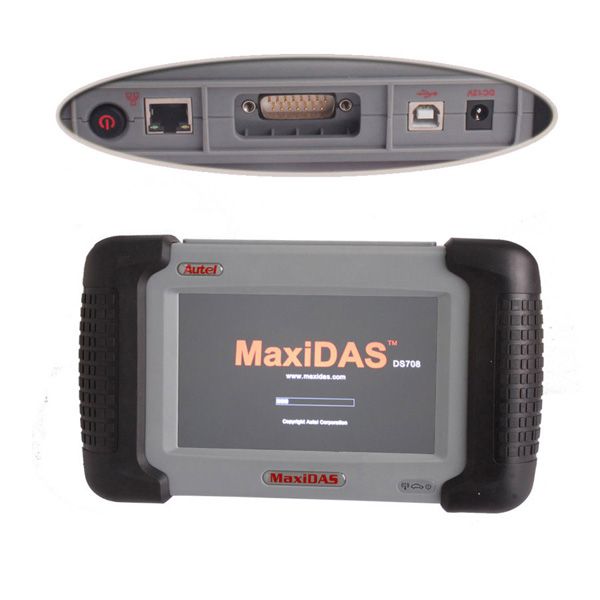
- DS708 Main Connection Port: Connects to the mains for power supply during updating, printing, data logging and internet access after disconnecting from the vehicle.
- USB Connection Port: Connects to the computer for updating and printing.
- Diagnostic Socket: Provides power supply and connection to the vehicle via diagnostic cables and connectors supplied.
- Internet Connection Port: Provides internet access for updating, printing and data logging, bringing internet resources of your choice at your fingertips.
- ON/OFF Button: Powers on/off the diagnostic tool.
Note: The scan tool will not turn off automatically; it stays on until you turn it off.
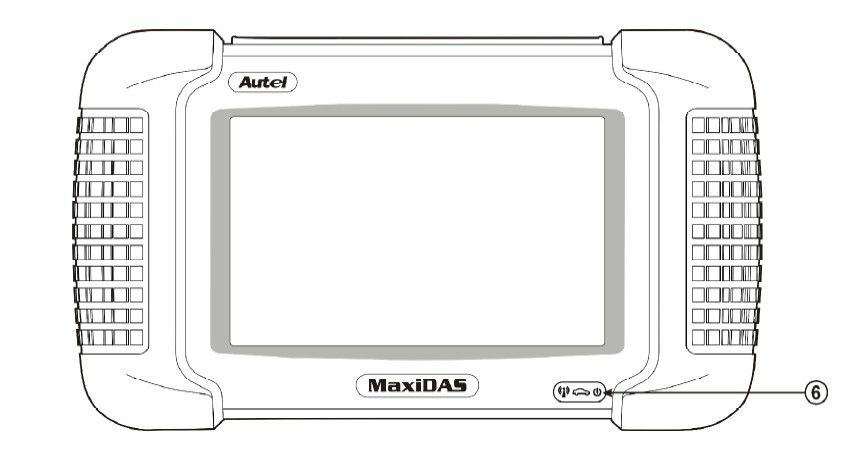
6. DS708 LED Indicators
The three light-emitting diodes indicate certain system conditions:
- Communication LED: Green LED light in the middle shows when the unit is in service.
- Wireless LAN Activity LED: Green LED light on the left shows when a wireless local area network is enabled; flashes when data is being sent or received.
- Main Power LED: Red LED light on the right shows when the unit is powered on.
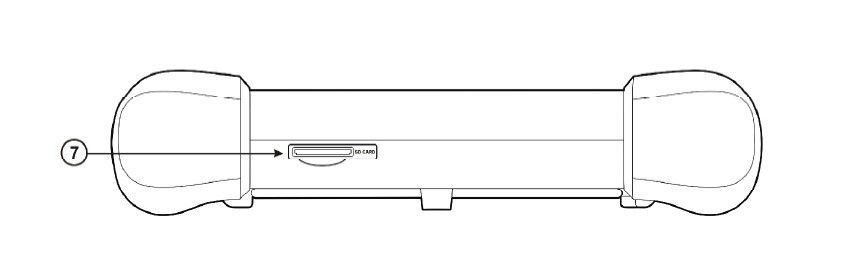
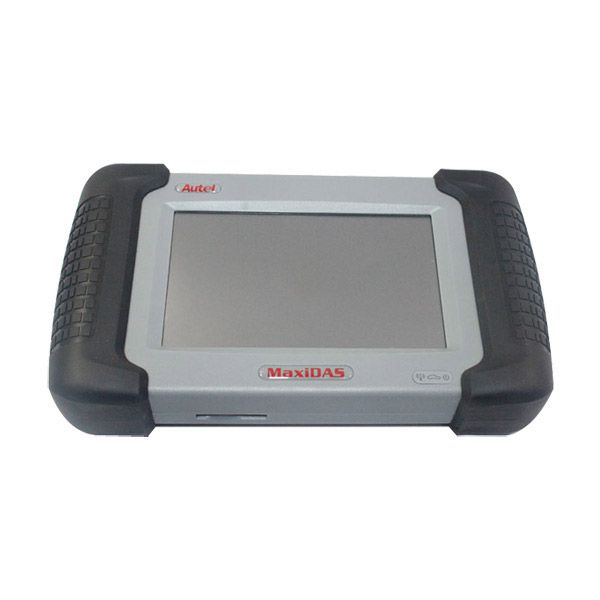
7. DS708 SD Card Slot
The standard SD (Secure Digital) card slot enables the unit to read and write data to the card inserted in the slot. To use the software, insert the card with the metal contacts facing down and pointing toward the MaxiDAS.
Note: Do not force media into the SD card slot. This may damage the SD card slot. To remove the SD card, press the card again and the slot will pop out the card automatically.
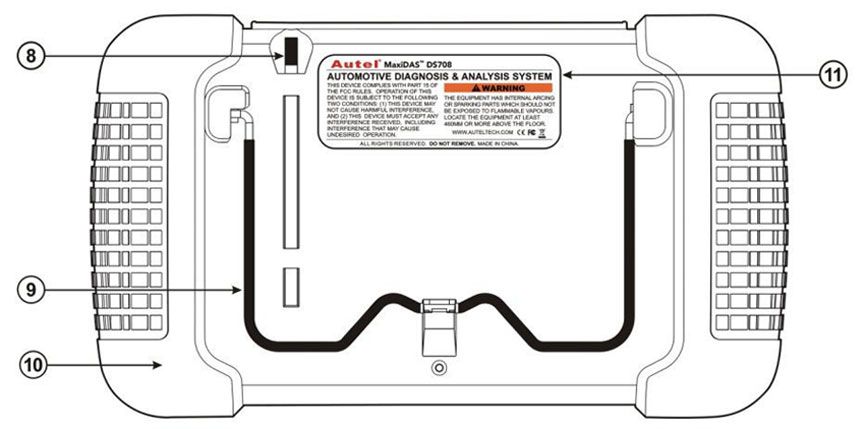
8. Stylus
The Stylus is used for typing and selecting. To calibrate the Touch Screen, refer to Chapter 7–8, Calibrating Touch Screen.
Product Features and Components
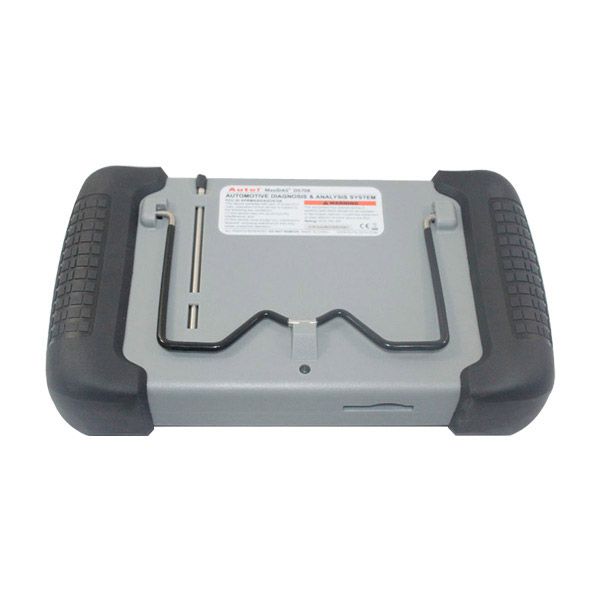
9. Built-In Metal Stand
The built-in metal stand allows the unit to rest for hands-free viewing when extended. It is attached to the back of the scan tool and can be secured to the back of the unit again when not in use.
10. Handgrips
The handgrips are attached to both sides of the MaxiDAS unit. Hold the handgrips to stabilize the unit while using. The handgrip also helps prevent damage if you accidentally drop the tool.
11. MaxiDAS 708 Label
The label includes important notices and warnings.
12. LCD Screen
The LCD screen displays the menus and data screens.
Important: Use the supplied stylus or plastic-tipped pens for the touch screen display. Do not use pencil, pen, or any sharp object on the touch screen display.
13. Memory Card
The memory card contains the tool’s diagnostic software, applications, and offers up to 4 gigabytes of storage.
Note: Do not remove the memory card while the unit is in service.
14. DLC Cables
The DLC (Data Link Connector) cable is used to connect the scan tool to the vehicle’s DLC. Multiple cables are provided; select the appropriate one for the vehicle being tested. An optional extension cable may also be used.
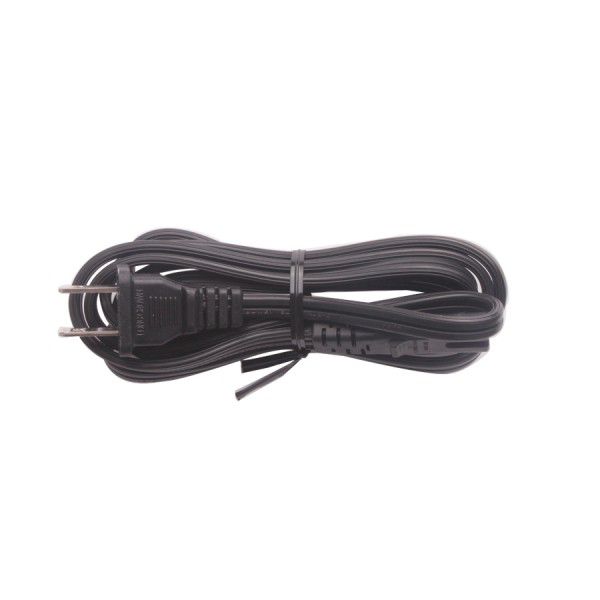
15. AC Power Supply
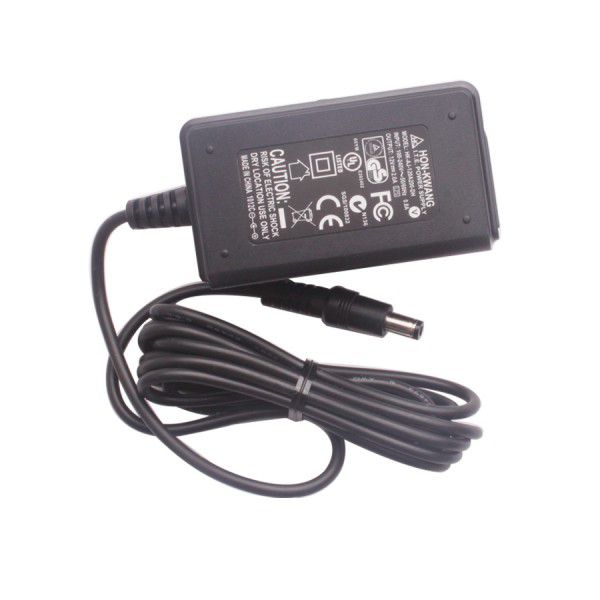
The AC power supply and power cord (12V and 3.33A) is used to power the scan tool from a wall socket.
AUTEL DS708 Package List
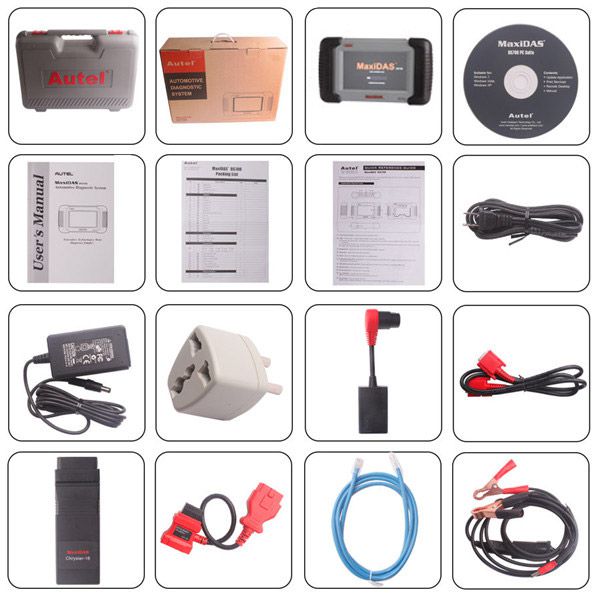
1. Main Part
- 1pc x DS708 main unit
- 1pc x Stylus pen
- 1pc x 4GB SD memory card
- 1pc x Carrying case
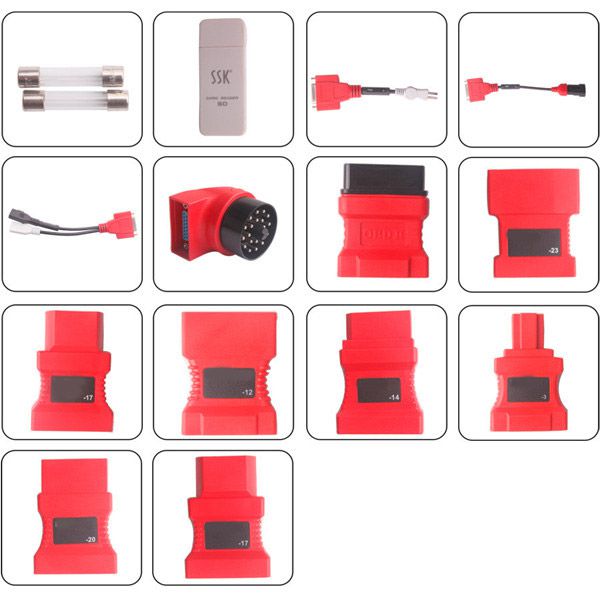
2. Adaptors
- 1pc x OBDII 16PIN
- 1pc x Honda 3pin
- 1pc x AUDIA 2x2
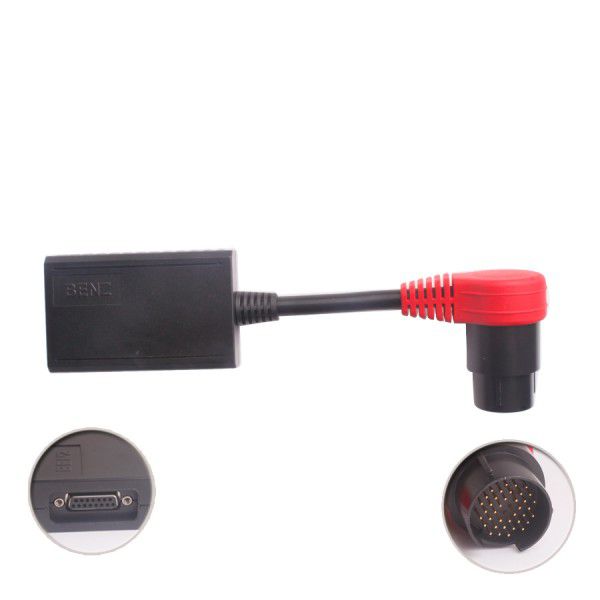
- 1pc x BENZ 38pin
- 1pc x BMW 20pin
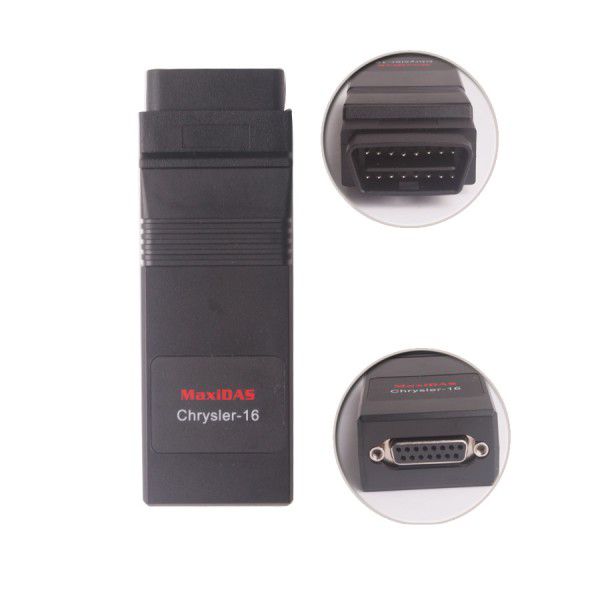
- 1pc x Chrysler 16pin
- 1pc x Fiat 3pin
- 1pc x GM/Daewoo 12pin
- 1pc x Honda 3pin
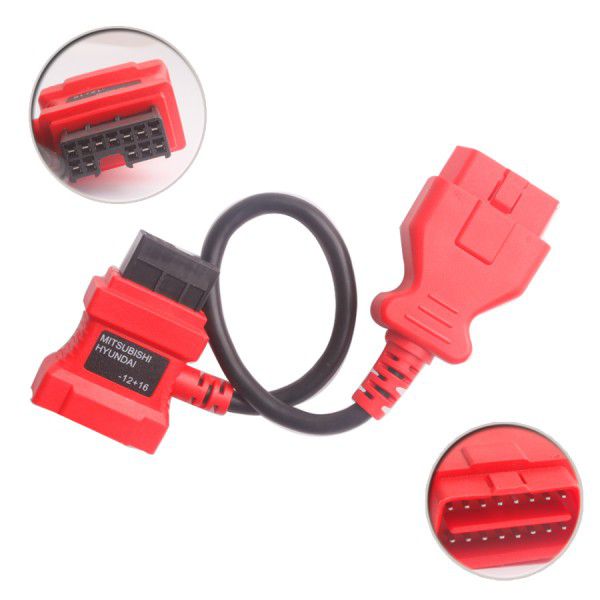
- 1pc x Mitsubishi/Hyundai -12+16pin
- 1pc x Kia 20pin
- 1pc x Mazda 17pin
- 1pc x Nissan 14pin
- 1pc x PSA 3pin
- 1pc x TOYOTA 17pin
- 1pc x TOYOTA 23pin
3. Test Cables
- 1pc x Main cable
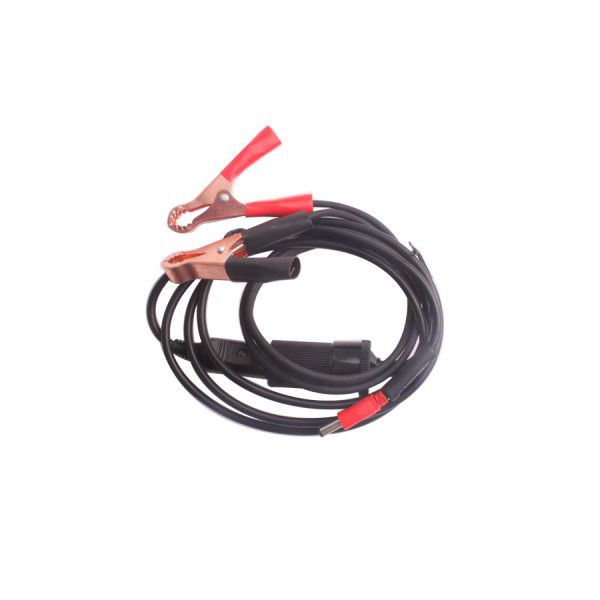
- 1pc x Cigarette Lighter
- 1pc x Clipper cable
4. Accessories
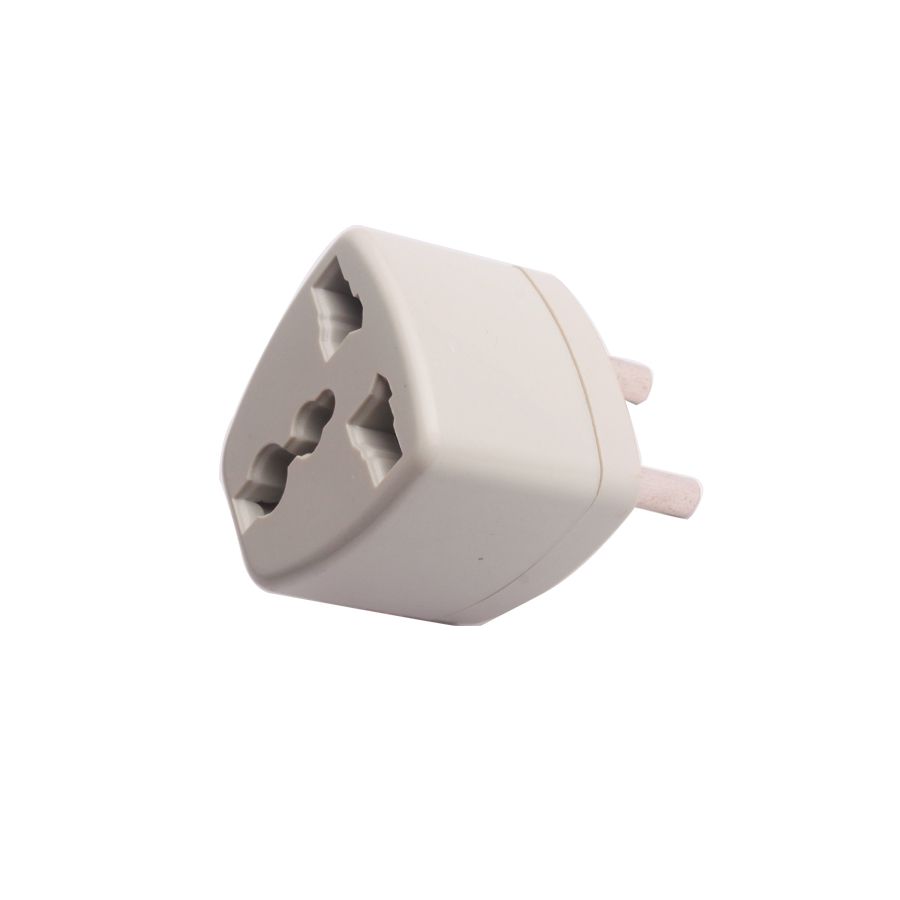
- 1pc x AC Adapter
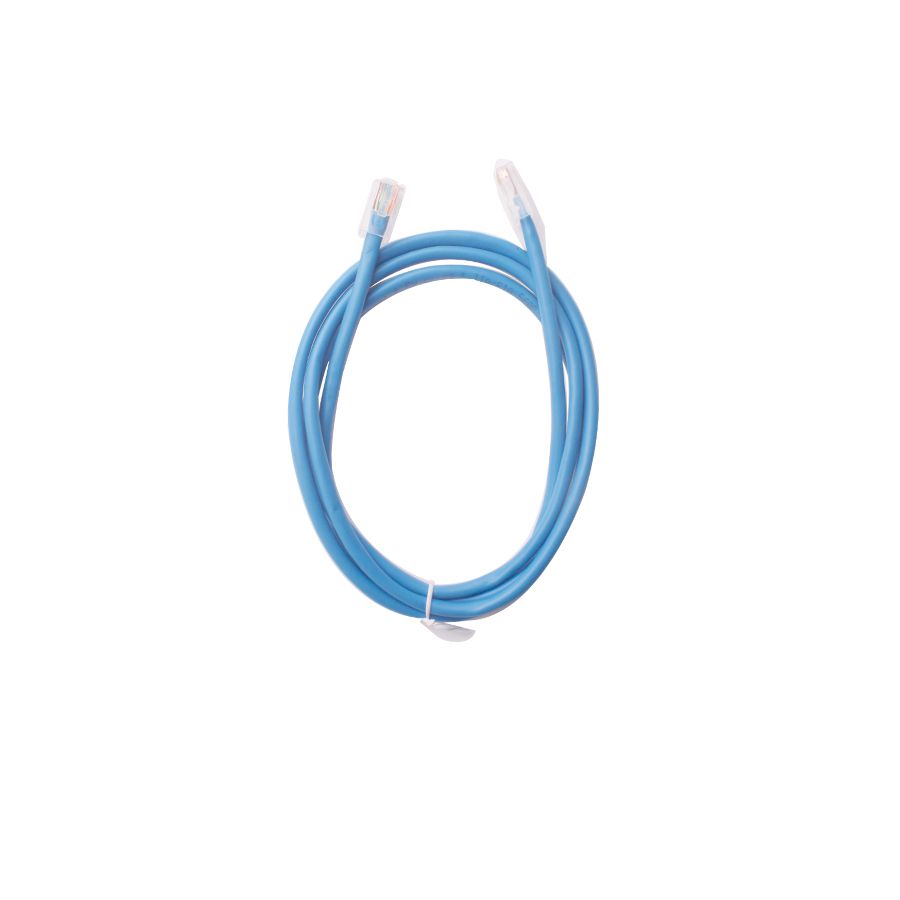
- 1pc x RS232 serial cable
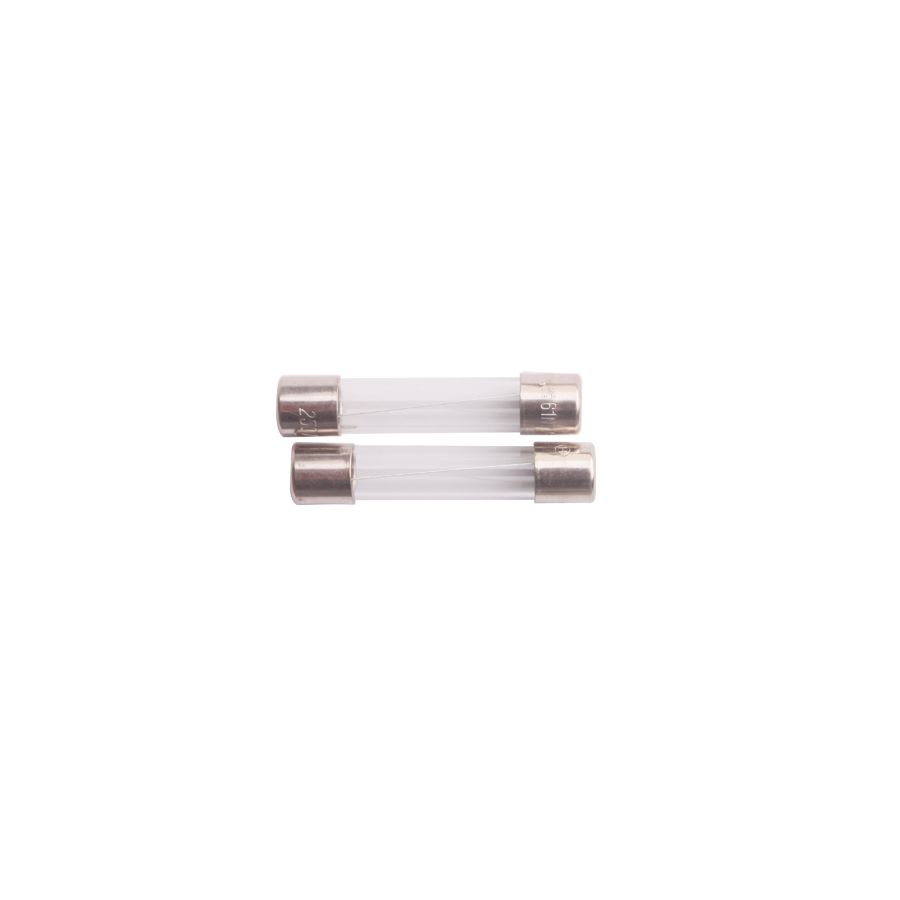
- 2pcs x Lighter fuse 6*30mm
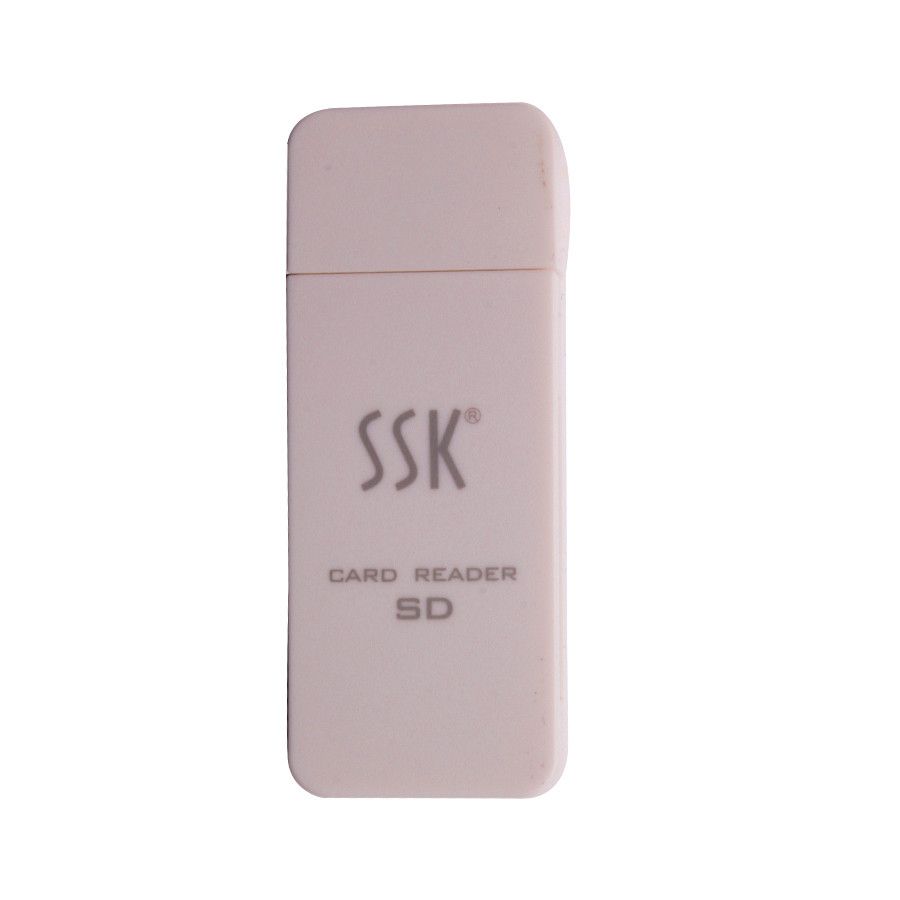
- 1pc x SD Card reader
- 1pc x CD
- 1pc x User's manual
- 1pc x Quick guide
- 1pc x Package list
- Related Items
- Recommond Tools
- Hot Sale
- On Sale
- New Arrivals
- Freeshipping Items
-
 US$999.00 / piece
 -
US$379.05 / piece
-
US$159.00 / piece
-
 US$550.05 / piece
 -
 US$179.00 / piece
 -
 US$299.00 / piece
-
 US$15.91 / piece
 -
 US$89.00 / piece
 -
 US$479.00 / piece
 -
 US$328.00 / piece
 -
 US$29.99 / piece
 -
 US$75.00 / piece
-
 US$145.46 / piece
 -
US$79.90 / piece
-
 US$674.50 / piece
 -
 US$84.99 / piece
 -
US$199.00 / piece
-
 US$69.99 / piece
-
US$674.50 / piece
-
 US$659.00 / piece
 -
 US$39.90 / piece
 -
 US$629.00 / piece
 -
 US$449.00 / piece
 -
US$84.99 / piece
-
 US$39.18 / piece
 -
 US$149.00 / piece
 -
 US$17.99 / piece
 -
 US$371.00 / piece
 -
![[Full Version] KT200 ECU Programmer Master Version Support OBD BOOT BDM JTAG & ECU Maintenance/ DTC Code Removal With Free Damaos](/upload/pro/kt200-ecu-programmer-master-full-version-200.jpg) US$549.00 / piece
US$549.00 / piece -
 US$99.65 / piece
-
 US$528.00 / piece
 -
 US$22.00 / piece
 -
 US$28.49 / piece
 -
 US$19.99 / piece
 -
 US$13.99 / piece
 -
 US$22.00 / piece
Trending Products
 US$479.00 / piece
 US$1,198.00 / piece
 US$1,398.00 / piece
 US$1,069.00 / piece
- US$371.00 / piece
 US$1,956.05 / piece