Autel MD808 Pro
1.Autel MD808 pro offers technicians more advanced features and functions to diagnose all systems for major vehicles on the road today.
2.With all the amazing functions, Autel MD808 Pro is capable of delivering unmatched efficiency in diagnoses and services, making the ideal service tool priced for everyone to afford.
Autel MaxiDiag MD808 Pro All System Scanner (MD802 ALL+MaxicheckPro) Lifetime Free Update Online is a one of our Autel MD808 Pro Tools, you can buy Autel MaxiDiag MD808 Pro All System Scanner (MD802 ALL+MaxicheckPro) Lifetime Free Update Online from ukobd2.com.
Wholesale Top quality VAS6154, GM Tech2, VCM II For Ford, Handy Baby II Car Key Chip Copier, CDP DS150
images of Autel MaxiDiag MD808 Pro All System Scanner (MD802 ALL+MaxicheckPro) Lifetime Free Update Online
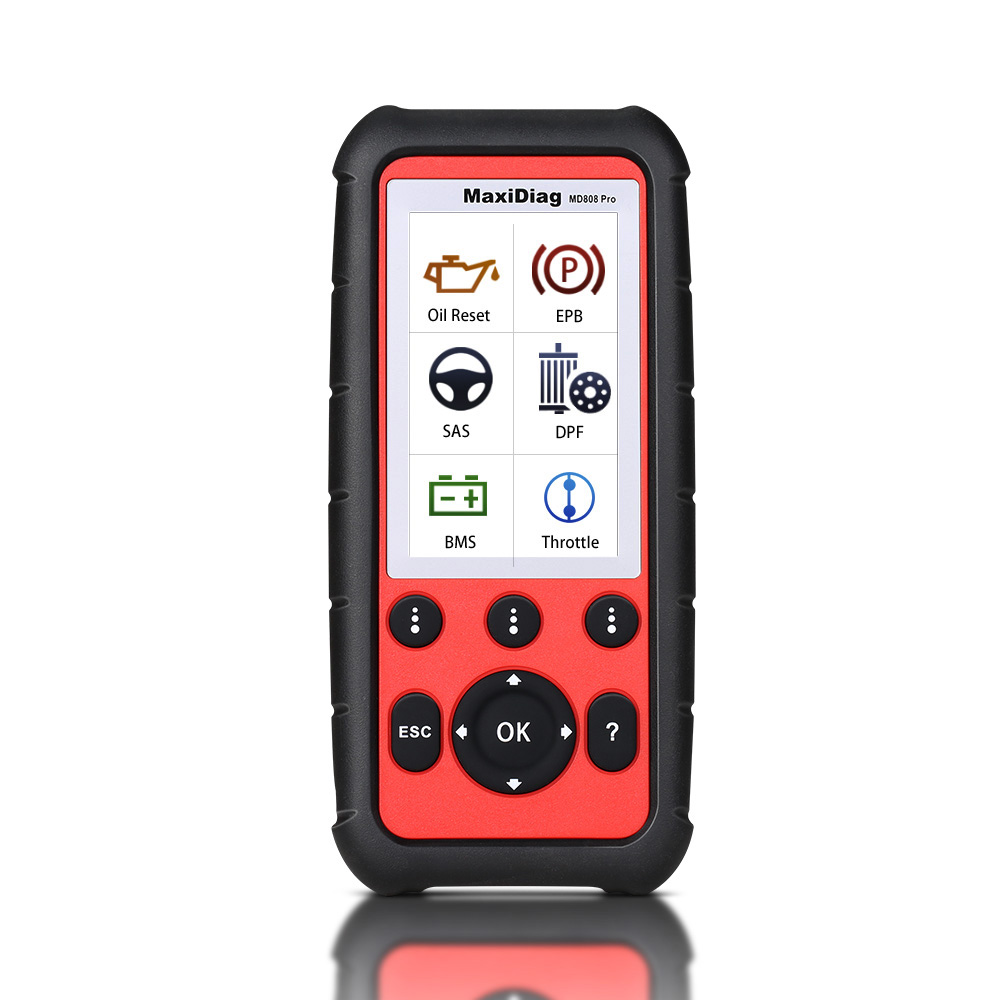
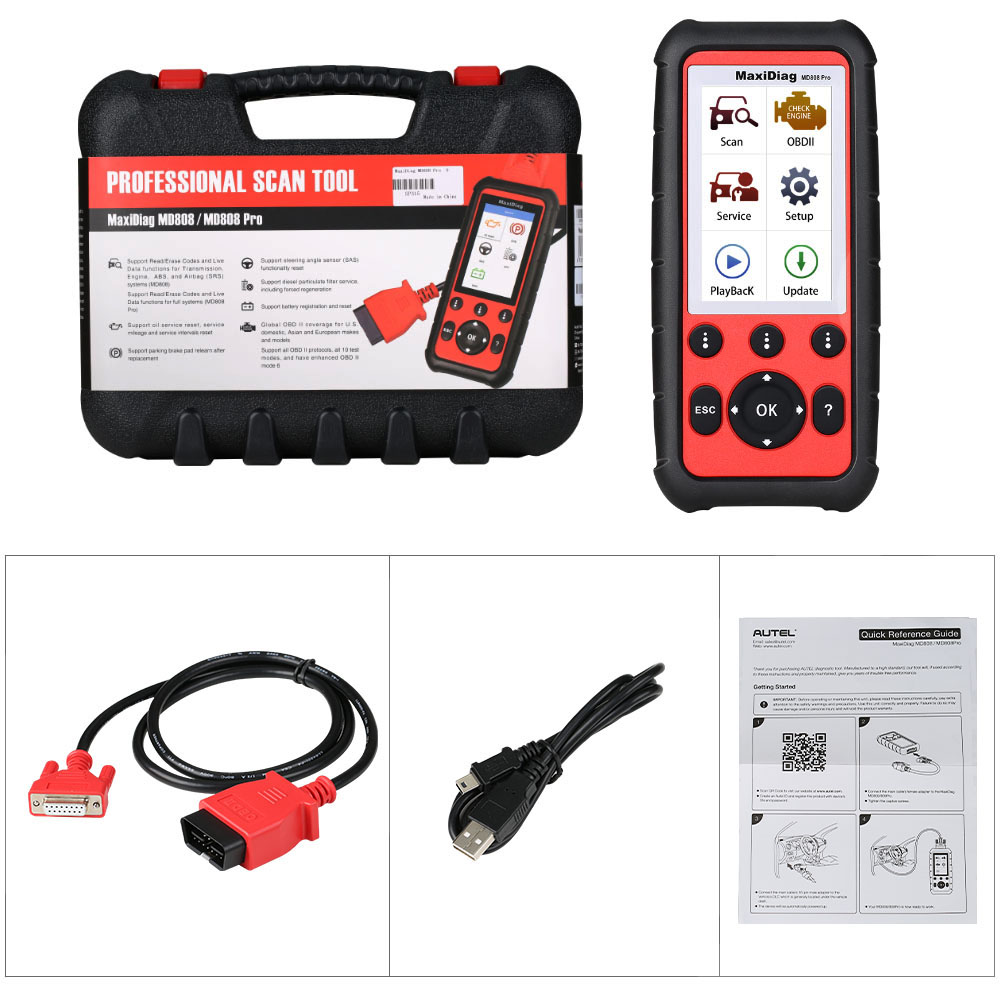
Autel MaxiDiag MD808 Pro All System Scanner (MD802 ALL+MaxicheckPro)
Key Features of Autel MaxiDiag MD808 Pro
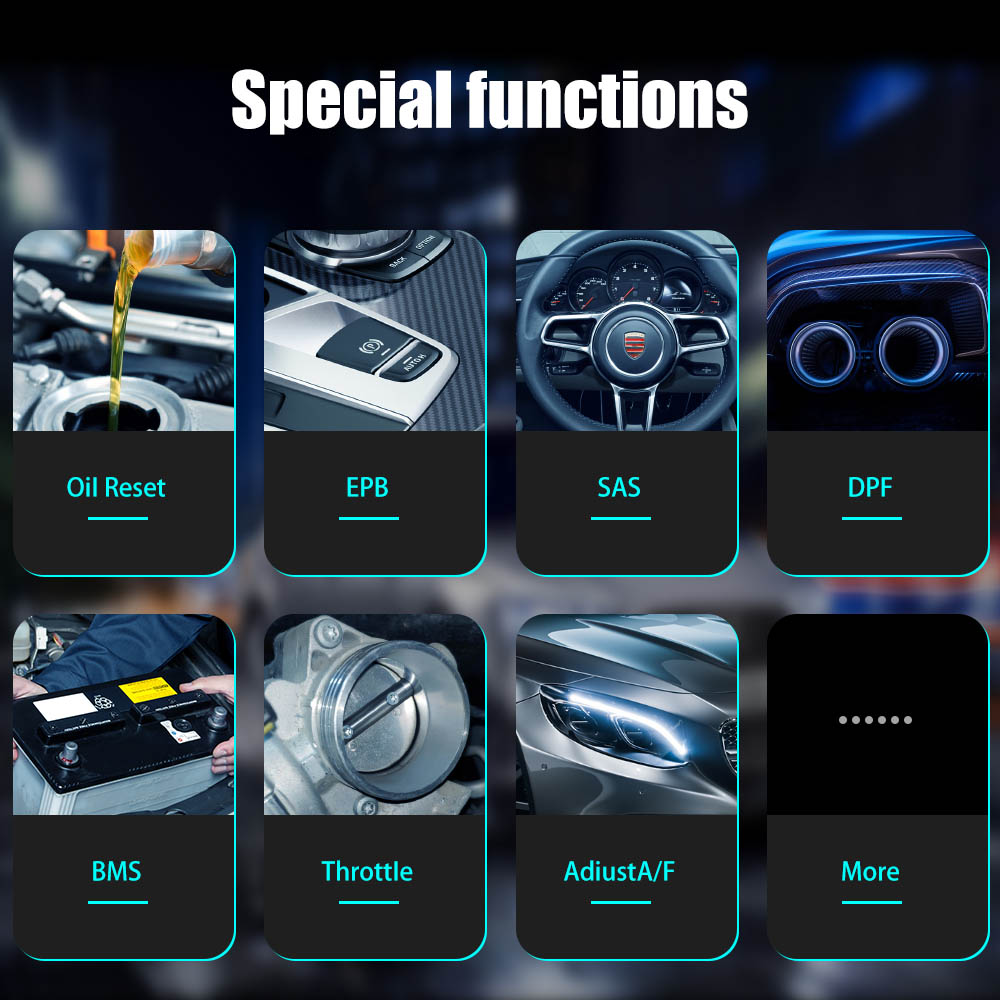
- Read and clear trouble codes, control and test BMS/EPB/SAS/Oil Reset/DPF systems
- Diesel particulate including forced regeneration
- Reset steering angle sensor (SAS) functionality
- Reset oil service and battery registration
- Reset service mileage and service intervals
- Perform OLS/oil service resets
- Set inspection 1 & 2 service intervals
- Open and close EPB (electronic brake calipers) for pad removal and service
- Read and clear EPB/SBC trouble codes
- Diagnose EPB/SBC (Sensotronic Brake Control) caliper functionality with bi-directional control
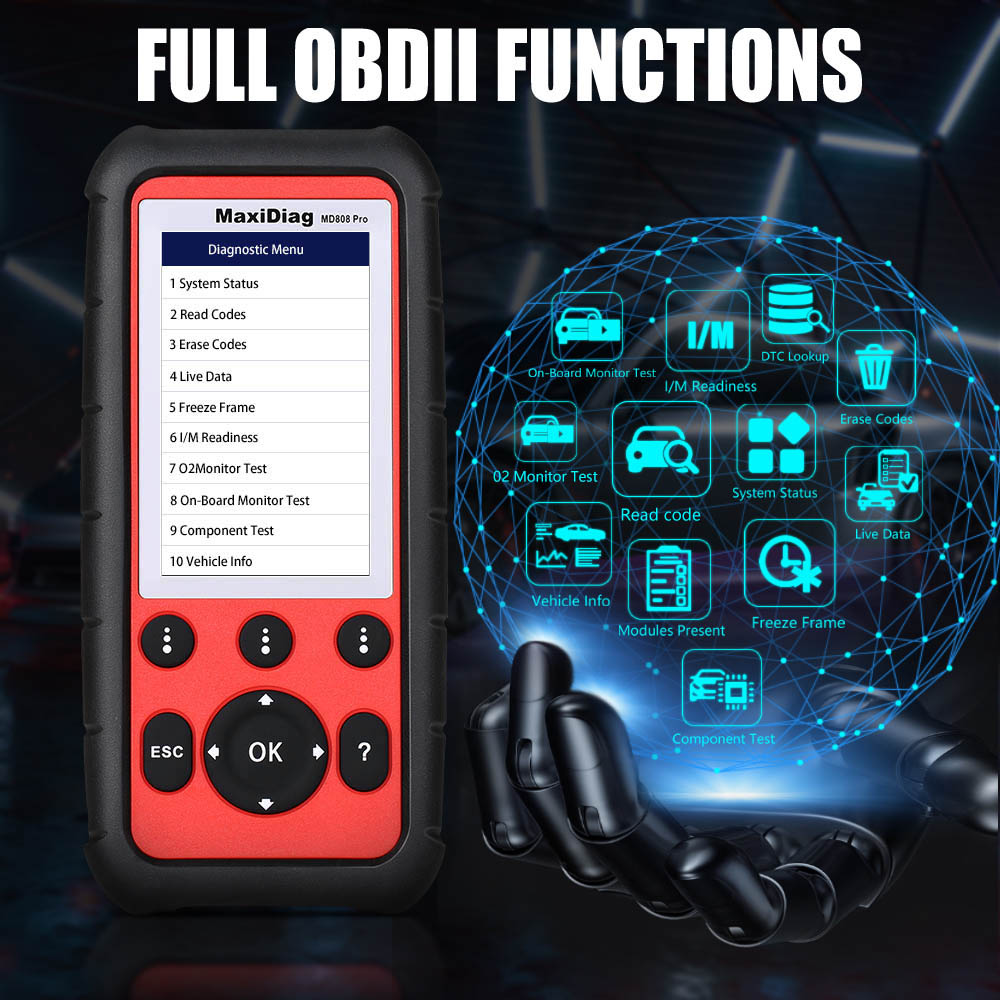
- Perform O2 monitor, on-board monitor I/M readiness, and component testing
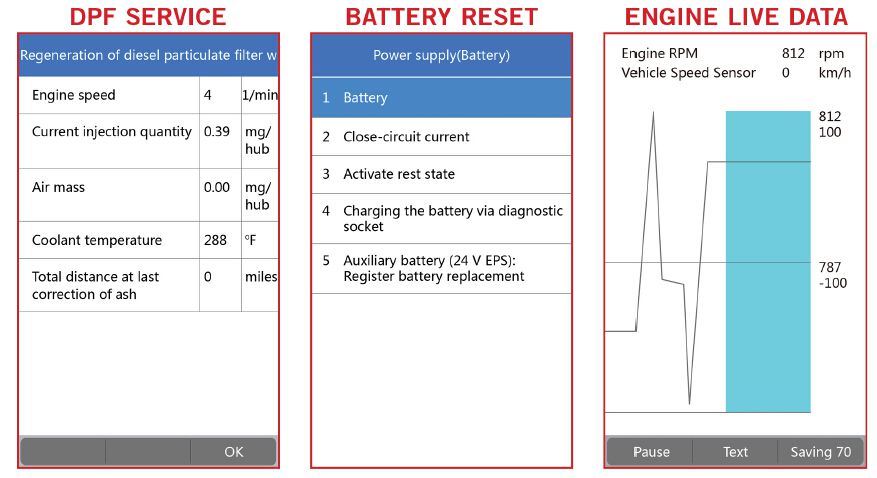
Autel MD808 Pro Functions List
- Read, test, and clear trouble codes across all modules: Powertrain, Body, Chassis, INFO & Communication systems
- Auto VIN detection
- Auto scan all major vehicle systems
- Live data viewing for individual system testing
- Communication with door modules, body controllers, and electronic modules
- Graph, record, and playback freeze frame data
- Freeze Frame, Enhanced Mode 6, Vehicle Info, I/M Readiness, On-Board Monitor, and Component Tests
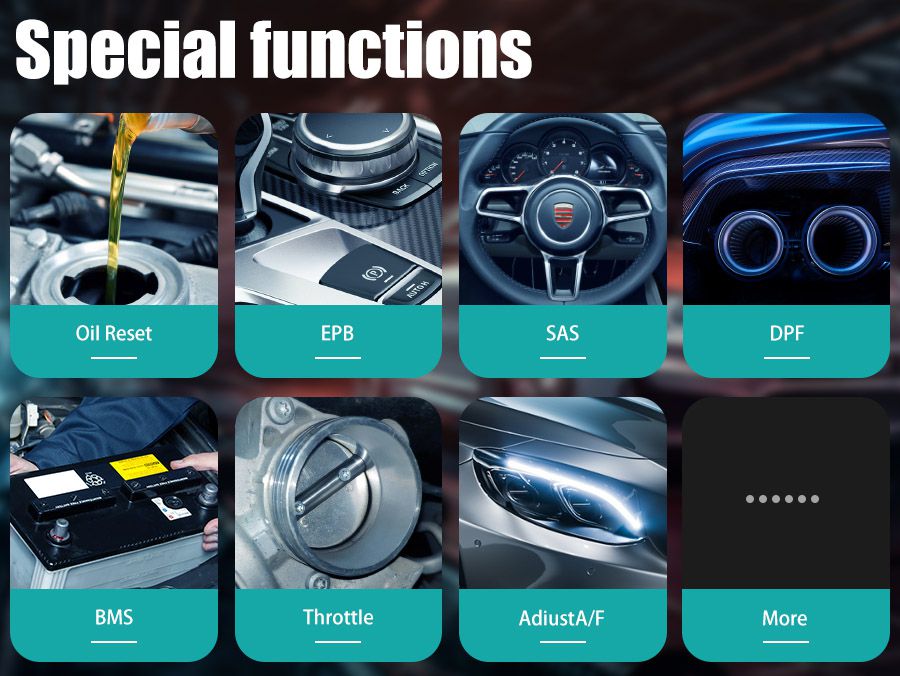
Autel MaxiDiag MD808 Pro Interface Overview
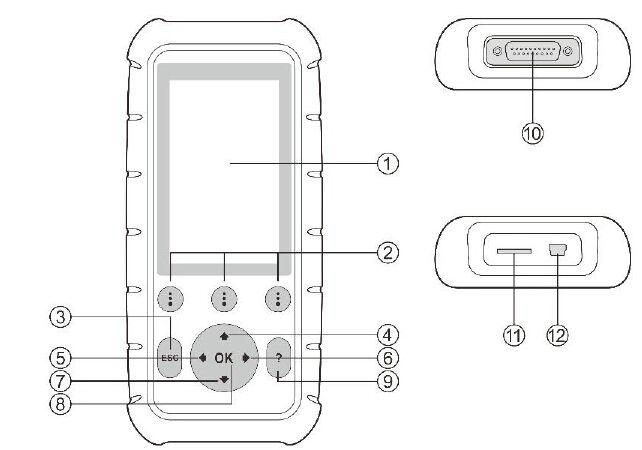
- LCD Display – Shows test results; TFT color display (800×480 dpi)
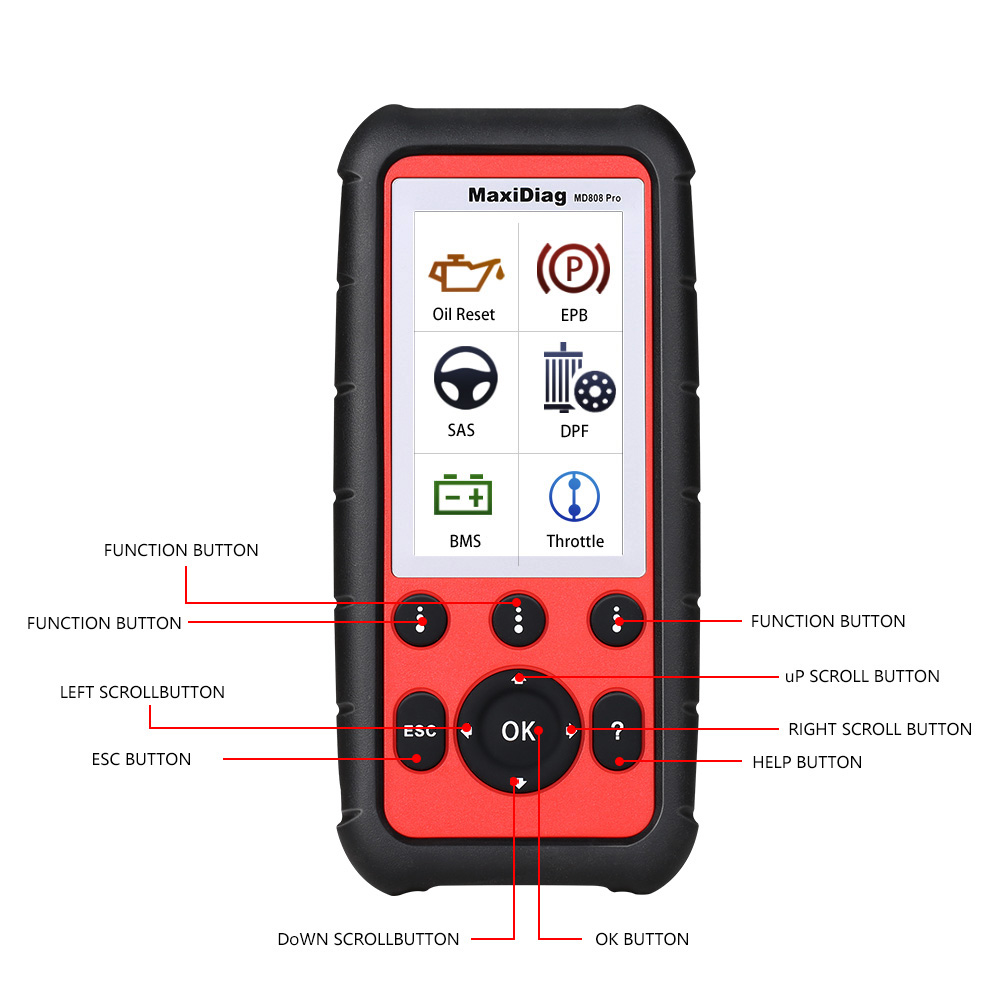
- Function Button – Corresponds with on-screen buttons to execute commands
- ESC Button – Cancels a selection or returns to the previous screen
- Up Scroll Button – Navigates up through menus or screens; changes selected character value when looking up DTCs
- Left Scroll Button – Moves to the previous character or screen; views prior DTCs or recorded data frames
- Right Scroll Button – Moves to the next character or screen; views next DTCs or data frames
- Down Scroll Button – Navigates down through menus or screens; changes selected character value when looking up DTCs
- OK Button – Confirms selections or actions
- Help Button – Provides on-screen help information
- Connector – Connects the tool to the vehicle’s Data Link Connector (DLC) via OBD-II cable
- Micro SD Card Slot – Holds the system Micro SD card
Vehicle Compatibility: Autel MD808 Pro Car List
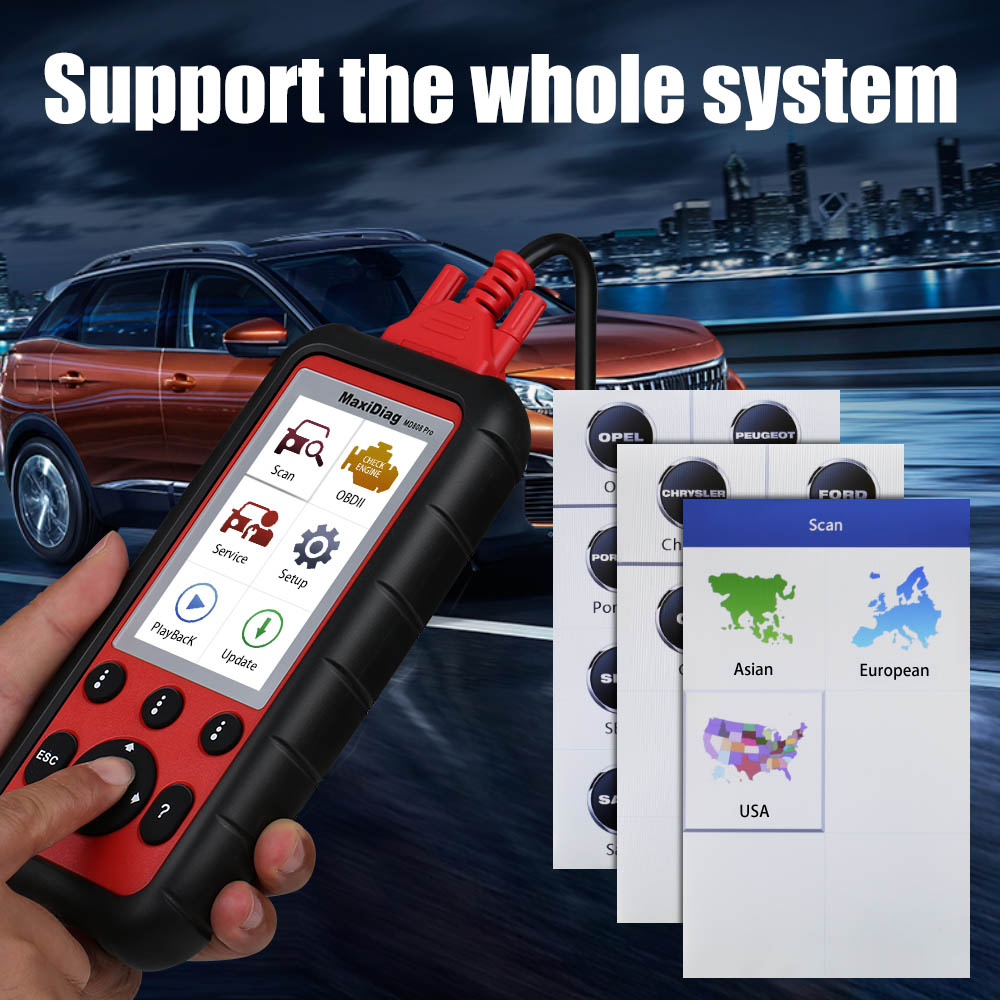
The Autel MaxiDiag MD808/808 Pro supports all OBD-II compliant vehicles, including those using the Control Area Network (CAN) protocol. These scanners offer expanded global coverage and enhanced diagnostic capabilities across a wide range of makes and model years.
Acura, Benz, Chrysler, Ford, Honda, Hyundai, Infiniti, KIA, Lexus, Renault, Scion, Toyota, VW…
For a complete list of supported vehicles, please check here.
How to Use Autel MD808 Pro for Oil Reset
Manual Reset
Suitable for most Asian, American, and European vehicles. Follow these steps (example using Ford):
- Select Ford from the vehicle make screen and press OK.
- Choose the correct options step by step until the vehicle is identified.
- After identification, the tool will display a manual reset message—press OK to continue.
- Follow on-screen instructions to manually reset the service indicator.
- Press ESC to exit.
Auto Reset
Available for most American and European vehicles. Example using Peugeot:
- Select Peugeot from the vehicle make screen and press OK.
- Choose the correct options step by step until the vehicle is identified.
- After entering vehicle information, the scan tool displays a manual reset message:
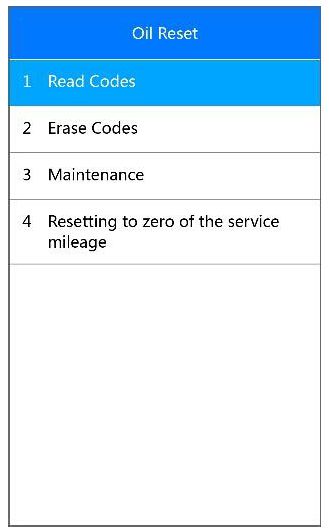
Comparison: Autel MD808 Pro vs. MD808 vs. MD802 Models
Product Comparison

 MD802 (Four Systems) | MD802 (All Systems) |  MD808 (Four Systems) | MD808 Pro (All Systems) | |
|---|---|---|---|---|
| Software Features | ||||
| Read/Erase Codes | Y | Y | Y | Y |
| View Live Data | Y | Y | Y | Y |
| View Freeze Frame Data | Y | Y | Y | Y |
| View I/M Readiness Status | Y | Y | Y | Y |
| View Vehicle Information | Y | Y | Y | Y |
| O2 Monitor Test | Y | Y | Y | Y |
| On-board Monitor Test | Y | Y | Y | Y |
| Component Test | Y | Y | Y | Y |
| Modules Present | Y | Y | Y | Y |
| DTCs Help | Y | Y | Y | Y |
| Oil Service Reset | Y | Y | Y | Y |
| EPB Brake Pads Replacement | Y | Y | Y | Y |
| Save and Playback Data | Y | Y | Y | Y |
| Print Data via Window PC | Y | Y | Y | Y |
| System Coverage | ||||
| System Coverage | Engine, Transmission, ABS, SRS | All Systems | Engine, Transmission, ABS, SRS | All Systems |
| Advanced Functions | ||||
| Steering Angle Learning | Y | Y | Y | |
| DPF Function | Y | Y | Y | |
| Battery Registration and Reset | Y | Y | Y | |
| Hardware Features | ||||
| Display | 320x240 dpi | 320x240 dpi | 800x480 LCD | 800x480 LCD |
| Memory | ? | ? | 32M+16G | 32M+16GS |
| Power Consumption | ? | ? | 1.7W | 1.7W |
| Weight | 208g (0.62lb) | 208g (0.62lb) | 313g (0.69lb) | 313g (0.69lb) |
Autel MD808 Pro Specifications

- Processor: ARM® ThuMB® Processor (400 MHz)
- Memory: 32MB, 166 MHz
- Display: 4.0 inch LCD with 800x480 resolution
- Connectivity: Mini USB 2.0, Micro SD Card (16GB)
- Power Consumption: 1.7 W
- Operating Temperature: -10°C to 60°C (14°F to 140°F)
- Storage Temperature: -20°C to 70°C (-4°F to 158°F)
- Operating Humidity: 5% - 95% non-condensing
- Housing: Strong plastic housing with protective rubber boot
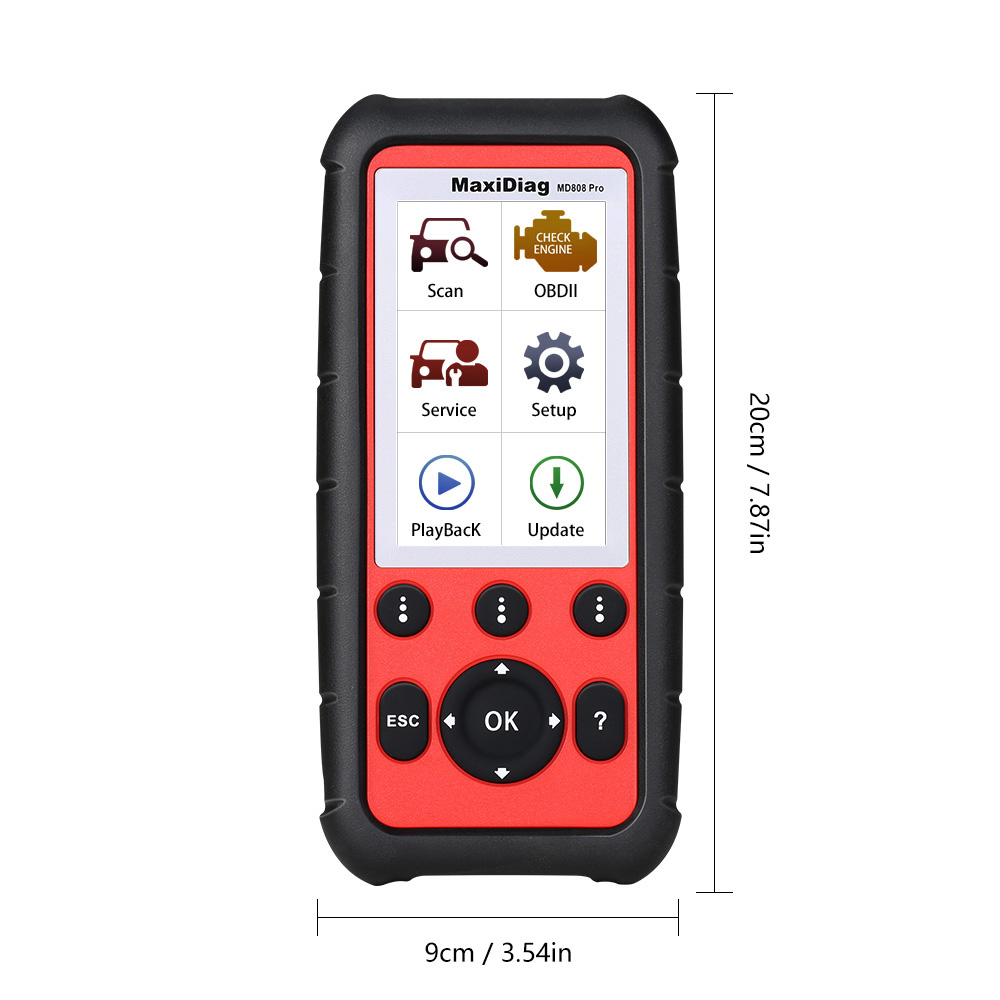
- Dimensions (W x H x D): 202 mm x 92 mm x 35 mm (8.35” x 3.62” x 1.4”)
- Weight: 313 g (0.69 lb.)
Autel MD808 Pro Package Contents
- 1pc x User Manual
- 1pc x Quick Reference Guide
- 1pc x Main cable
- 1pc x Micro SD card
- 1pc x Carry case
- 1pc x USB Cable
Go to Buy: Autel MaxiDiag MD808 Pro All System Scanner (MD802 ALL+MaxicheckPro) Lifetime Free Update Online